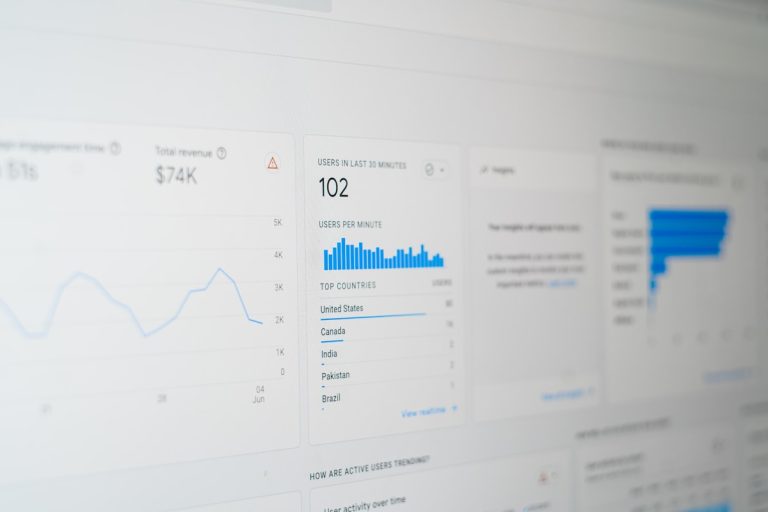
To recover lost traffic quickly, check Google Search Console impressions against Google Analytics 4 sessions to separate real ranking drops from broken tracking scripts. If impressions stay steady while sessions collapse, your analytics tags failed; if both metrics plunge simultaneously, inspect your site for accidental noindex tags, robots.txt blocks, algorithmic demotions, or AI Overview displacement. Once isolated, restore organic performance by correcting indexation rules, refreshing decayed content, and automating technical monitoring.
The Emergency Playbook: What to Do When Organic Sessions Fall Off a Cliff
Opening your analytics dashboard on a Monday morning to discover a vertical cliff edge is sickening. Your pulse races, your stomach drops, and your brain immediately shifts into firefighting mode. Most site owners react in pure panic. They rewrite twenty core landing pages before their morning tea, delete half their published articles, or hire an external agency that charges an eye-watering monthly retainer just to send an automated PDF audit three weeks later. Take a deep breath and step back. Panicked, scattergun edits do not solve organic drops. They simply bury the real technical culprit beneath fresh layers of confusion. When you need to systematically recover lost traffic, you need a disciplined, URL-by-URL diagnostic process that separates reporting blunders from genuine ranking demotions.
Organic drops never happen by magical bad luck. Search engines run on rigid crawling rules, rendering budgets, indexation guidelines, and semantic relevance models. If your organic sessions took a sudden beating, something specific triggered it: an accidental staging deploy, a broad core algorithm update, aggressive moves from competitors, or an AI overview scraping your answers directly into search features. Once you isolate tracking bugs from true organic losses, regaining your search footprint becomes a calm engineering exercise. Modern marketing teams no longer waste weeks running manual spreadsheets; they use intelligent platforms like Start Your SEO Autopilot to keep technical foundations guarded around the clock.
Is It a Real Search Drop or a Tracking Glitch? Rule Out False Alarms First
Before you touch a single page or modify your robots.txt file, ensure your site actually lost real visitors. A startling percentage of urgent organic traffic panics are nothing more than broken JavaScript tags, cookie consent banner bugs, or tag container deployment errors.
How Do You Check Search Console Impressions Against GA4 Sessions?
Google Analytics 4 measures visitor activity via client-side JavaScript firing inside a user’s web browser. Google Search Console, by contrast, logs pure search engine impressions directly on the results page. Open Search Console and compare the last 28 days against the preceding period.
- Scenario A: Impressions stayed flat, but GA4 sessions plummeted. Good news: your rankings are perfectly fine. Your tracking snippet simply stopped executing. A developer might have updated a global layout template and forgotten to include your Google Tag Manager container, or an uncaught JavaScript error broke execution further up the page.
- Scenario B: Both impressions and sessions plunged at the exact same hour. Bad news: your website suffered a genuine loss in visibility. Search crawlers have either lost access to your pages or downgraded your relevance.
Did Your Cookie Consent Banner Break Your Analytics?
Under UK GDPR and European data privacy rules, your cookie management banner must block analytics scripts until a visitor gives explicit consent. If your web team rolled out an update to your cookie compliance tool recently, an over-aggressive consent gate might be blocking your analytics snippet entirely. If 45% of your visitors ignore or reject the cookie prompt, 45% of your reported organic traffic vanishes overnight on paper, even though real humans are still browsing your pages normally.
Did a Recent Code Deployment Drop Your Tracking Snippets?
Did your engineering squad release an update late last week? It happens constantly: engineers clean up site footers, bundle assets differently, and accidentally drop tracking listeners. Open your browser developer tools, click the Network tab, reload your primary landing pages, and verify whether your measurement hits are returning 200 status codes. If no network requests fire, you have found your problem without touching a single piece of content.
What Causes a Sudden Drop in Organic Search Visibility?
If you have eliminated reporting discrepancies and confirmed a real decline in impressions and clicks, you are dealing with an authentic organic demotion. Drops almost always stem from one of four core categories.
1. Technical Blunders and Crawl Blocks
Search crawlers cannot index pages they cannot access, render, or understand. Technical mistakes can happen in a few seconds during routine website maintenance:
- Accidental noindex tags: An engineer merges a staging branch into production without removing the
noindex, nofollowrobots meta tag from the global head template. - Robots.txt disallow rules: A stray forward slash inside your robots.txt file suddenly blocks search crawlers from fetching entire product catalogues or resource libraries.
- Corrupted canonical tags: Canonical links pointing to staging subdomains, localhost URLs, or broken 404 pages instruct search engines to strip the production URL from results.
- Server 5xx errors: If your web server throttles web crawlers during traffic spikes, Googlebot backs off and temporarily drops unrendered URLs from the index to protect bandwidth.
2. Broad Core Algorithm Updates
Search engines constantly tweak their core ranking systems to elevate helpful, original material and demote superficial, repetitive answers. If your content merely paraphrases existing search results without offering practical perspective, real data, or hands-on expertise, an algorithm update will demote your pages in favour of richer resources.
3. Generative AI Overviews and Answer Engine Cannibalisation
Search engine results pages are no longer just ten simple blue links. Conversational answer boxes, large language models, and AI Overviews occupy the top of the screen. If an AI summary answers a user’s question directly without citing your domain, your click-through rates will drop even if your traditional ranking position remains unchanged. To protect your pipeline, you must Master GEO Targeting with AI to build pages specifically structured for conversational citations.
4. Direct Competitor Enhancements and Natural Content Decay
Sometimes your technical health is spotless and no algorithmic penalty touched you, but your competitors simply outpaced you. If competing businesses publish original industry studies, build logical internal link pathways, and answer modern customer queries while your guides sit untouched for eighteen months, your organic impressions will naturally decay over time.
The 3-Phase Diagnostic Framework to Recover Lost Traffic
Do not guess where your search traffic disappeared. Follow this structured three-phase diagnostic framework to locate the exact point of breakdown.
Phase 1: How to Segment Performance Data by URL and Query
Log into Google Search Console, open the Search Results report, and compare the last 28 days with the preceding period. Sort the data table by clicks difference and impressions difference to identify the scope:
- Sitewide declines: If every URL across your catalogue dropped by a similar percentage, you are facing a sitewide crawl block, a server infrastructure failure, a manual penalty, or a core algorithm adjustment.
- Subfolder-specific declines: If only
/blog/plummeted while/services/remained rock solid, inspect recent blog template updates, CMS plugin changes, or localised internal link breaks. - Isolated URL drops: If two or three specific landing pages account for 85% of your total lost traffic, those URLs simply suffered from content decay, lost backlink equity, or intensified competitor updates.
Phase 2: How to Inspect URL Status and Rendering Health
Take the URLs showing the steepest declines and run them through the Search Console URL Inspection tool. Check these four critical indicators:
- HTTP Status Code: Does the URL respond with a healthy 200 OK code, or is it redirecting in a loop, throwing a 404, or returning a 500 error?
- Indexing Permission: Does the page allow indexation, or has an errant meta directive or HTTP header blocked it?
- Declared vs. Selected Canonical: Does Google’s chosen canonical match your declared self-referential canonical? If Google picked an alternative URL, your link signals are flowing to the wrong address.
- Rendered HTML: Review the live screenshot and rendered code inside the inspection tool. Did client-side JavaScript fail to render your primary text copy?
If you spot rendering snags or accidental noindex flags, fix the underlying code immediately and request indexation to speed up recovery.
Phase 3: How to Evaluate Content Intent Against Current Top Results
Search intent evolves rapidly. Search for your historical target queries using an incognito browser window and inspect the top three current results:
- Are the top pages delivering direct answers in the opening two sentences, while your article wastes 400 words on generic background definitions?
- Have users pivoted toward interactive comparison tables, pricing calculators, or step-by-step checklists instead of wall-to-wall text?
- Are competing brands earning rich citations by offering clear definition snippets and clean data summaries?
If your page takes three paragraphs to get to the point, search engines and users will abandon it for competitors that answer queries immediately.
Why Legacy Agency Audits Fall Flat for Modern Businesses
When traffic drops, the typical corporate reaction is to hire an external SEO consultancy or run an outdated desktop site crawler. Weeks later, you receive a dense 90-page PDF filled with hundreds of minor warnings, like missing image alt attributes on archived blog posts. Traditional audits fail growing businesses for several obvious reasons:
- Bloated reports without execution: Lengthy spreadsheets of theoretical suggestions languish in developer backlogs for months while organic traffic continues its downward slide.
- Blind spots around AI answer engines: Old crawlers check raw HTML tags. They cannot tell you whether ChatGPT, Perplexity, or Google AI Overviews cite your brand or recommend your competitors instead.
- Slow diagnostic cycles: Waiting for quarterly reviews means an accidental robots.txt disallow rule can silently decimate customer acquisition for months before anyone notices.
- Fragmented software stacks: Managing six separate tools for keyword tracking, crawl logs, and content optimisation drains internal resources and creates conflicting data.
Modern organisations need integrated tools that identify crawl errors in real time and execute recovery tasks automatically.
How Automated Systems Accelerate Traffic Recovery
Repairing lost visibility by hand demands hours of continuous log file analysis, keyword tracking, and page updates. When unexpected drops threaten your pipeline, manual fixes bleed revenue. Modern marketing automation changes the recovery game across three primary areas.
24/7 Monitoring with SEO & GEO Autopilot
Instead of discovering broken canonicals or missing tags weeks after a site deploy, SEO & GEO Autopilot keeps continuous watch over crawl status, metadata integrity, and schema markup. If a redirect chain breaks or an indexation tag gets overwritten, the system identifies the breakdown immediately and deploys automated corrections. This safeguards your organic visibility across traditional search engines and AI answer engines without eating up developer hours. When technical health is managed autonomously, your team can Automate Your SEO with AI and focus on growth rather than emergency fire drills.
Tracking Citations with the AI Visibility Tracker
Search behaviour is shifting swiftly toward conversational interfaces. Modern buyers regularly consult AI engines for platform recommendations, software comparisons, and vendor shortlists. The AI Visibility Tracker monitors how often your business appears inside AI responses, tracks sentiment, and reveals gaps in your footprint. If an AI platform begins citing a competitor’s product instead of yours, you receive immediate feedback to update your content and regain your place.
Rapid Content Refreshes with the AI Content Strategist & Generator
Recovering from content decay means updating old data, addressing emerging search queries, and building supporting content clusters. The AI Content Strategist & Generator analyses search trends and user intent to generate comprehensive, search-optimised content that fills coverage gaps. Rather than spending weeks drafting articles from scratch, your marketing team can publish authoritative guides quickly to restore lost rankings.
Legacy Agency Audits vs Unified AI Marketing Automation
Here is how traditional agency audits compare to automated systems when you need to diagnose drops and recover lost traffic fast:
| Operational Factor | Legacy Agency Audits | Unified AI Marketing Automation |
|---|---|---|
| Detection Speed | Monthly crawls or delayed quarterly reviews | Real-time 24/7 continuous monitoring |
| Resolution Process | Static spreadsheets and developer tickets | Automated corrections and actionable workflows |
| GEO & AI Visibility | Overlooked or restricted to standard blue links | Dedicated tracking across LLMs and AI answers |
| Content Production | Slow, expensive manual drafting cycles | Fast, data-backed content creation modules |
| Workflow Setup | Disconnected tools and high monthly retainers | Integrated platform built for immediate execution |
The 30-Day Sprint to Rebuild Your Search Equity
If your website traffic is down right now, do not try to fix everything at once. Use this structured four-week sprint to restore lost positions and build lasting organic visibility.
Week 1: Clean Up Technical Blocks and Indexation Errors
Focus on the 20% of your pages that generate 80% of your organic pipeline. Clear any crawl blocks inside robots.txt, fix broken canonical tags, and remove accidental noindex directives. Run Core Web Vitals checks on high-priority templates to ensure code bloat is not holding your pages back. If your internal resources are stretched, consider how you can automate these technical checks to keep signals clean without human error.
Week 2: Update High-Priority Pages and Align Search Intent
Identify your top five decaying landing pages. Compare them directly with the top three search results for their primary keywords. Trim unnecessary filler, update outdated statistics, and provide direct answers in the first two sentences of every section. Add internal links from your highest-authority pages to pass link equity back to these dropping URLs.
Week 3: Build Out Supporting Content Clusters
Search drops often happen when competitors publish thorough content clusters around your core subject. Identify missing subtopics across your domain and publish supporting explainers, guides, and FAQs that link back to your primary commercial pages. This structured web of internal links signals deep topical authority to search engine crawlers.
Week 4: Strengthen Regional Search Signals and GEO Presence
For companies serving customers across the UK, Europe, North America, or the Asia-Pacific region, localised drops quickly hurt inbound leads. Add structured organisation schema, adapt content for regional search patterns, and ensure your business citations are consistent across directories. You can Boost Local Search Rankings to capture territory-specific search demand that broad competitors miss.
Critical Mistakes to Avoid When Rebuilding Traffic
When traffic drops, panic often leads to rushed decisions that make things worse. Avoid these four common missteps:
- Mass deleting older URLs: Deleting older pages without adding 301 redirects breaks your internal link graph and harms your sitewide authority.
- Changing live URL slugs: Never modify an established URL slug unless absolutely required. Changing live paths resets historical search signals and introduces redirect lag.
- Keyword stuffing internal anchors: Using exact-match target keywords on every internal link looks unnatural to search engines. Keep your anchor text varied and descriptive.
- Neglecting mobile user experience: If your pages load slowly or hide content behind heavy popups on mobile devices, visitors will bounce back to the results page, signalling a poor user experience.
Frequently Asked Questions About Recovering Lost Traffic
How long does it typically take to recover lost traffic after a technical fix?
If your traffic dropped due to an accidental noindex tag or robots.txt block, recovery typically occurs within a few days to two weeks once the block is lifted and pages are resubmitted via Google Search Console. For sitewide algorithmic demotions or content decay, recovery usually takes four to twelve weeks of consistent content updates and internal link improvements.
What should you do if an AI Overview takes all the organic clicks?
When an AI summary captures click share, restructure your content to provide direct, quotable answers that answer engines cite as primary sources. Use concise definition blocks, numbered procedural steps, and structured schema markup. Expanding into deeper, analytical topics that AI summaries cannot easily condense also drives qualified visitors back to your site.
Can a Google core update penalty be reversed immediately?
Google core updates do not apply manual penalties; they simply recalculate domain-wide quality and relevance signals. You cannot reverse a core update demotion overnight with a quick code tweak. You must systematically upgrade page quality, remove unhelpful content, and demonstrate genuine first-hand expertise, after which rankings can improve during subsequent system refreshes.
Reclaim Your Organic Visibility Today
Learning how to recover lost traffic is not about hoping for good luck during the next algorithm rollout. It comes down to building a fast, technically sound, and intent-focused website that evolves alongside modern search engines and AI platforms. By combining automated technical audits, proactive content refreshes, and generative engine tracking, you can systematically regain your organic visibility and protect your business against future volatility.
If you want to stop guessing, eliminate dependency on slow agency retainers, and repair your search positions with complete confidence, explore how to Boost Your Search Rankings Now and build a resilient organic growth engine today.