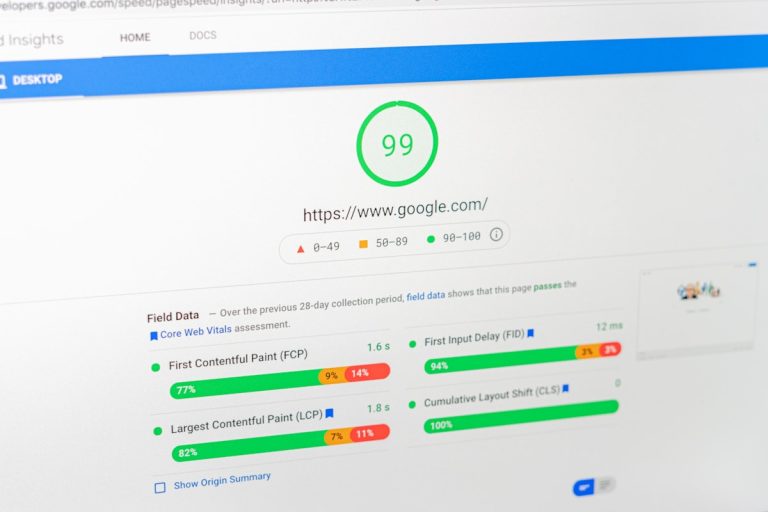
WordPress SEO automation is the cloud-native process of handling keyword discovery, technical audits, structured schema markup, and internal linking via external APIs without relying on bloated local plugins. By moving data processing from your hosting server to dedicated remote cloud intelligence, your website maintains swift Core Web Vitals, keeps databases clean, and earns direct citations across Google, Perplexity, and ChatGPT. Traditional SEO plugins burden your web host with repeated database queries, whereas cloud automation delivers ready-to-render optimisations cleanly and instantly.
Why Modern Sites Need WordPress SEO Automation Now
Running a fast, competitive WordPress site today should not feel like repairing a leaky engine every single weekend. If you manage a growing business website, an e-commerce shop, or a digital agency portfolio, you know the routine: write a helpful piece, save your progress, and waste half an hour chasing arbitrary traffic light scores across legacy plugins. These local tools consume server memory, leave hundreds of thousands of orphaned rows in your database, and slow down your visitor experience. Savvy digital marketing teams are moving away from this fragile arrangement by adopting AI CMO: Unified AI Marketing Automation for Digital Growth, pushing heavy computational tasks off-site so web servers stay lean and lightning fast.
Legacy search tools were built for an older generation of the internet. A decade ago, organic ranking simply meant stuffing keywords into titles, headers, and meta tags. Today, modern search algorithms and conversational search engines like ChatGPT, Claude, and Perplexity do not care about bloated local checklists. They reward technical speed, verified entity relationships, structured schema, and topical depth. Switching to true cloud-driven WordPress SEO automation lets remote cloud intelligence handle your technical maintenance, keeping your website fast, your database trim, and your brand authoritative across every major search platform.
How Do Legacy SEO Plugins Quietly Ruin Site Speed?
Almost every WordPress user installs an all-in-one search plugin on day one. It feels like the safest decision, but as your site expands from twenty pages to hundreds of guides, that single plugin turns into your worst performance bottleneck.
Every time a prospective client visits your site or a web crawler inspects a URL, your server runs heavy PHP scripts. Traditional plugins hook directly into WordPress core actions, executing repetitive database queries before your web server can even start sending HTML to the browser. Over time, that delay ruins your search rankings and drives away impatient buyers.
The wp_postmeta Nightmare
Every time a legacy plugin checks your readability, tracks keyword density, logs focus phrases, or records internal link counts, it writes rows directly to your wp_postmeta database table. On a site with regular updates, that single table quickly balloons into hundreds of thousands of fragmented rows.
Here is how that bloat damages your site day after day:
- Painful editor screens: Loading the block editor turns into a chore because local scripts evaluate your copy character by character in real time.
- Poor Core Web Vitals: Your Largest Contentful Paint (LCP) and First Contentful Paint (FCP) suffer because the server wastes critical milliseconds executing plugin code before rendering the layout.
- Risky software updates: Frequent plugin updates often introduce code conflicts, broken page templates, or sudden PHP fatal errors.
- Massive backup archives: Routine site backups take ages and waste storage space simply archiving obsolete plugin scoring histories.
Cloud automation bypasses this mess. Computations happen on dedicated remote infrastructure. Clean meta descriptions, canonical URLs, and structured data are delivered via standard REST API endpoints, keeping your database neat and lean.
Why Green Traffic Lights Do Not Matter Anymore
Legacy plugins remain trapped in obsolete habits. They check whether you placed your exact keyword in the first sentence, monitor arbitrary word counts, and demand identical alt text across every image.
Modern buyers interact with the web differently. Millions now ask questions directly inside ChatGPT, Claude, and Perplexity. These conversational engines do not read your local plugin scores. They look for logical entity relationships, validated JSON-LD schema, direct factual summaries, and comprehensive topical coverage. Outdated plugins simply cannot structure pages for generative engines, which is why ambitious brands choose to Start Your SEO Autopilot to secure their digital presence across modern search.
What Is Generative Engine Optimisation (GEO)?
Generative Engine Optimisation (GEO) is the practice of formatting and structuring web content so that large language models and conversational search engines can read, comprehend, and cite your brand as an authority. While traditional SEO aims to win a blue link on a search results page, GEO focuses on earning citations inside AI-generated answers.
When an AI model scans the web to answer a user question, it looks for specific structural signals:
- Direct, unambiguous answers placed right below descriptive section headings.
- Fully validated, nested JSON-LD schema that clarifies authors, organisations, and products.
- Clean, scannable bullet points that break down complex workflows step by step.
- In-depth contextual explanations that answer obvious follow-up questions.
Traditional WordPress plugins offer virtually no support for these requirements because their rule sets were written long before large language models existed. By switching to cloud-powered automation, your website uses answer-first structures naturally, making it effortless for search bots and AI answer engines to reference your content.
How Does Cloud-Based WordPress SEO Automation Work in Practice?
Real automation is not about pumping out hundreds of low-value, repetitive articles that drive customers away. Search engines and readers recognise low-effort copy instantly. Meaningful automation is a connected, intelligent system that handles research, updates, structured data, and internal linking quietly in the background.
1. Continuous Search Intent Discovery
Manual keyword research drains hours every single week. You log into third-party software, review spreadsheets, evaluate volume metrics, and guess which keywords might bring genuine business. By the time you write and publish an article, search trends have moved on.
Autonomous systems observe search queries and buyer discussions around the clock. When a clear topical gap appears in your sector, the platform identifies the opportunity, analyses search intent, and sets up a content outline specifically crafted to solve that query.
2. High-Calibre Writing via the AI Content Strategist & Generator
Search algorithms look for deep topical coverage. They want proof that your site understands its discipline, not just proof that you can repeat a phrase across five paragraphs. This is where the AI Content Strategist & Generator steps in.
Rather than stuffing keywords into awkward sentences, it creates natural, authoritative copy. It integrates relevant semantic concepts, answers practical buyer queries, and preserves an engaging voice. Headings, bullet lists, and explanations flow naturally, satisfying search engines and human readers at the same time.
3. Automated JSON-LD Schema Deployment
Structured data gives search crawlers explicit details about your website. Crafting custom schema manually takes technical skills, and basic plugins restrict you to basic templates. A cloud automation workflow generates and deploys nested JSON-LD markup directly to your posts:
- Article and BlogPosting Schema: Verifies author identities, publishing dates, and historical update records.
- FAQPage Schema: Formats clear question-and-answer blocks so conversational engines can extract direct quotes into rich snippets.
- HowTo Schema: Structures step-by-step guidance for technical tutorials and troubleshooting walkthroughs.
- Organisation and Brand Schema: Confirms your enterprise identity, linking your business entity to global knowledge graphs.
This precise code removes confusion for search bots, raising your chances of securing featured snippets and AI citations.
4. Autonomous Contextual Internal Linking
Internal links are essential for healthy search performance. They distribute page authority across your site, assist crawlers in finding new pages, and guide interested visitors toward commercial landing pages. Yet almost nobody updates old internal links consistently because editing older articles manually is tedious.
Cloud-based WordPress SEO automation fixes this problem effortlessly. Whenever a new guide goes live, the system reviews your existing article library. It locates natural anchor phrases across older pieces and adds links pointing to your fresh article automatically. At the same time, your new guide links back to core service offerings. Your overall site architecture remains tightly linked without you opening an old draft. You can see how this works in practice by learning how to install and run the aiCMO WordPress Plugin beta for automated publishing.
5. Multi-Platform Visibility Tracking with the AI Visibility Tracker
Old-school rank trackers only show your position on traditional desktop search engines. That leaves you blind to half the market. You also need to know whether generative engines suggest your company when prospective buyers ask questions.
Using the AI Visibility Tracker, your team observes brand citations across ChatGPT, Claude, and Perplexity in real time. It monitors citation volume, measures brand context, and identifies topic gaps where competitors get recommended instead of you. These strategic findings feed directly back into your production schedule, ensuring your automated system tackles those gaps right away. You can explore how to check your brand’s AI visibility to monitor these modern search channels systematically.
Traditional WordPress Plugins vs. Autonomous AI SEO Platforms
To understand why businesses are modernising their marketing stack, compare how traditional plugins stack up against autonomous cloud systems:
| Capability | Traditional WordPress Plugins | Autonomous AI SEO Platforms |
|---|---|---|
| Keyword Discovery | Manual; depends on separate third-party software | Continuous; automatic search intent tracking |
| Content Production | None; requires manual writing or copy-pasting | Integrated via AI Content Strategist & Generator |
| Schema Markup | Basic, static templates with little custom nesting | Dynamic, contextual JSON-LD structured data |
| Internal Linking | Basic suggestions that require manual edits | Automated, bi-directional contextual linking |
| AI Answer Readiness | None; built strictly for legacy search results | Answer-first architecture built for AI citations |
| Database Overhead | High; clutters tables with scoring histories | Zero; operates remotely via the WordPress REST API |
| Editorial Effort | Hours spent chasing green plugin indicators | Autonomous execution with simple editorial review |
Five Steps to Implement WordPress SEO Automation
Setting up an automated search workflow does not mean rebuilding your website or hiring expensive developers. You can introduce cloud automation cleanly without touching core files or risking downtime.
Step 1: Connect via the WordPress REST API
Instead of installing another heavy plugin on your server, connect your site to an external cloud platform using a secure WordPress Application Password. This lets the cloud platform publish drafts, refresh metadata, categorise articles, and apply schema remotely. Your server stays fast, and your core files stay untouched.
Step 2: Establish Editorial Voice and UK English Defaults
Your brand identity matters. If your primary market is in the United Kingdom, configure your settings to follow British English conventions across every piece. The platform will consistently apply spellings like optimise, prioritise, centre, and categorise, ensuring your prose sounds authentic to local readers.
Step 3: Map Out Commercial Pages and GEO Targeting
Informational blog articles should always point readers toward your core services. Specify your high-priority products, service pages, and resources in your configuration settings. As the engine drafts new pieces, it naturally links relevant anchor phrases to those commercial destinations. If your business focuses on specific geographic markets, you can Master GEO Targeting with AI to build visibility across regional search queries and map packs.
Step 4: Pick Your Preferred Editorial Workflow
Automating your publishing does not mean losing control. Modern cloud systems let you choose between two operational models:
- Hybrid Review: The engine carries out research, writes the complete draft, formats schema, and saves the post as an unpublished draft in WordPress. Your team reviews the copy, adds personal observations, and hits publish.
- Full Autopilot: The platform handles the entire publication schedule via the SEO & GEO Autopilot. It uncovers content gaps, writes in-depth guides, refreshes historical posts, and publishes on your chosen schedule.
Many businesses begin with hybrid review while getting used to the tone and factual precision, before switching to full autopilot once they see steady, high-quality results. To discover how this fits into broader campaigns, read how to manage multi-channel with aiCMO across search and social pipelines.
Step 5: Extend Your Reach with the LinkedIn Chrome Plugin
Great search content should support your other marketing channels. When an automated article begins attracting organic visits, turn its key findings into social discussions. Using the LinkedIn Chrome Plugin, your team can turn search insights into personalised social posts and outreach messages, bridging organic search authority with direct business networking.
Best Practices for Scaling Automated Publishing
Automation saves hours of repetitive work, but sensible editorial habits determine your long-term organic performance. Keep these practical rules in mind as you increase your publishing volume.
Focus on Buyer Intent Rather Than Keyword Repetition
Repeating the exact same phrase makes content unreadable and risks search spam penalties. Focus squarely on solving the visitor’s core question. If someone is looking for a solution to a technical WordPress problem, provide numbered troubleshooting steps right away. When your guide solves the issue without unnecessary waffle, search engines reward the page naturally.
Fight Content Decay by Refreshing Existing Posts
Search rankings do not stay safe forever. Over time, external sources change, facts become dated, and search habits evolve. A good automated platform does not just create new articles; it constantly monitors your existing content library. Updating older pieces with fresh points, new schema, and current internal links stops your hard-earned rankings from slipping backward.
Use an Answer-First Structure for AI Overviews
To earn citations inside AI Overviews and conversational answer bots, include a clear, two-to-three-sentence summary directly beneath your main headings. Follow that opening answer with detailed bullet points or practical examples. This structure allows AI bots to lift your explanations directly as verified source citations.
Keep Internal Link Anchor Phrasing Varied
Do not use identical anchor text for every single internal link pointing to a page. Your automated linking engine should use varied, conversational phrasing that fits the context of the sentence. A natural internal link profile creates a logical site architecture without raising search red flags.
How Does Server Performance Influence Search Visibility?
Search engine crawlers evaluate page speed strictly. Every hundred milliseconds of lag harms your crawl efficiency and encourages impatient visitors to bounce back to search results. When your hosting server is stuck processing bloated PHP plugins, your organic performance drops.
Maximise Crawl Budget with Lean Cloud Architecture
Search crawlers allocate a limited crawl budget to your domain. If your server takes too long to reply, bots index fewer pages on every visit. By shifting content analysis and schema generation to external cloud platforms, your WordPress site only needs to serve clean, lightweight HTML. This keeps your server responsive, helping crawlers index fresh and updated posts much faster.
Keep Core Web Vitals in the Green
User experience is a confirmed ranking signal. Plugins that inject extra style sheets and heavy scripts hurt your Largest Contentful Paint (LCP) and Cumulative Layout Shift (CLS) metrics. Cloud-based automation avoids adding scripts to your frontend theme. It simply delivers clean markup and valid JSON-LD schema into your posts, keeping your Core Web Vitals healthy.
Frequently Asked Questions About WordPress SEO Automation
Do search engines penalise automated content?
No. Search engine guidelines make it clear that content is evaluated on its depth, helpfulness, and factual value to the reader, not on whether software assisted in writing it. High-quality, authoritative content that answers search intent performs well regardless of how it was created.
Can I keep my existing plugins while switching to cloud automation?
Yes. If you currently rely on a simple plugin for custom 301 redirects or XML sitemaps, you can keep it running without conflicts. The cloud automation engine communicates through the REST API, avoiding software clashes. Many website owners choose to deactivate bulky plugins entirely once they see the cloud platform handling updates, linking, and schema effortlessly.
How does an automated platform choose topics to write about?
Autonomous platforms monitor live search queries, forum discussions, and competitor websites. By detecting high-intent informational and commercial questions that lack thorough answers online, the engine prioritises topics that offer the biggest organic upside.
How quickly do automated optimisations deliver results?
Traditional search agencies often ask for six to nine months before showing measurable progress. With a cloud system that publishes structured, schema-rich guides consistently while maintaining internal links, many websites see noticeable improvements in search impressions, keyword positions, and AI citations within three to six weeks.
Can my team review posts before they are published?
Yes. When running in hybrid review mode, every completed article is delivered as an unpublished draft inside your WordPress dashboard. Your editorial team can review the content, add custom images, adjust calls to action, or fine-tune phrasing before publishing.
Build an Autonomous Organic Growth Engine
For years, website owners faced an awkward choice: spend thousands of pounds every month on slow-moving agencies, or waste hours tweaking clunky plugin settings inside the WordPress dashboard. That compromise is no longer necessary. Modern WordPress SEO automation gives you total command of your organic reach by combining automated keyword discovery, structured content creation, dynamic schema, and contextual internal linking into a single, clean workflow.
By trading resource-heavy plugins for autonomous cloud intelligence, your website turns into a reliable growth engine that works around the clock. Your database stays clean, your pages load instantly, and your business earns visibility across both standard search engines and modern conversational AI platforms. If you are ready to remove manual bottlenecks and accelerate your search visibility, choose to Boost Your Search Rankings Now with autonomous AI execution via SEO & GEO Autopilot.