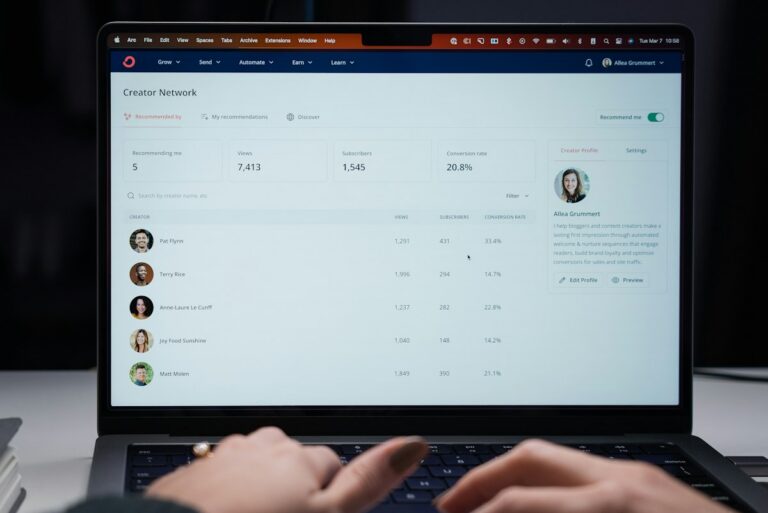
Escape Spreadsheet Hell: The Modern Command Centre for Fast-Growing Brands
Most marketing teams waste dozens of hours every single month copying numbers between tools. You open Google Search Console, flick over to your ad platform, export a CSV from your email software, and try to make sense of the mess in a battered spreadsheet. It is slow, prone to human error, and completely unnecessary. When your focus splits across ten tabs just to see if your last campaign worked, your real growth work stalls. You end up reacting to old numbers instead of seizing new traffic opportunities.
Modern marketing demands instant answers and real-time execution. An automated analytics dashboard powered by AI CMO changes the entire game by unifying fragmented data streams into a single, clean workspace. Instead of manually wrangling data like a tired analyst, your business can monitor cross-channel campaigns, track multi-channel growth, and trigger live optimisations automatically. In this guide, we break down why traditional business intelligence tools fall short for growth teams and how automated workflows let you execute campaigns without hiring an army of consultants.
The Big Disconnect in Traditional Marketing Intelligence
Data integration platforms like Minitab Connect have spent years helping corporate analysts build pipelines, cleanse databases, and blend spreadsheets. Platforms of that class are robust for statistical engineers, but they leave everyday marketing teams stranded.
Here is why: an enterprise data tool simply stores and displays data. It does not write your copy, fix your search drops, or publish content to your site.
When small-to-medium enterprises (SMEs) try using industrial-grade business intelligence software for marketing, three problems crop up immediately:
- Massive setup overhead: You need data engineers just to configure the pipelines.
- Zero execution power: The dashboard might show that your organic traffic dropped 15%, but it cannot diagnose the drop, rewrite the title tags, or push the updates live.
- Siloed reporting: Showing charts in a vacuum does not align your content strategy with your regional visibility efforts.
Traditional tools treat reporting as the final destination. For an active brand, a report is merely step zero. The actual goal is taking fast, governed action on what the numbers tell you.
Why Point Tools Drain Your Marketing Budget
Most founders and growth leads tackle multi-channel work by buying separate point tools. You buy one subscription for keyword research, another for social scheduling, a third for local SEO audits, and a fourth for web analytics.
Before long, your monthly SaaS bill spirals into thousands of pounds. Worse, none of these platforms talk to one another cleanly. Your social team works from one set of numbers, while your organic search agency works from another.
The result? You end up with conflicting metrics, missed customer trends, and endless meetings where everyone argues about whose attribution model is right.
If you want to cut through this friction, you need to consolidate your stack. Learning how to manage multi-channel with aiCMO shows how bringing multi-channel marketing under unified oversight saves money and keeps messaging consistent across every touchpoint.
What Makes an Automated Analytics Dashboard Truly Actionable?
A genuinely useful dashboard does not just show you pretty line charts; it connects insights directly to production workflows.
1. Ingestion Without the Manual Wrangling
You should never have to manually export CSVs to check campaign health. A modern automated analytics dashboard automatically pulls your site performance, indexing numbers, and engagement stats into a live view. Clean pipelines ensure you work with accurate numbers, letting you spot drop-offs the afternoon they happen rather than three weeks later.
2. Multi-Channel Context
Search habits change fast. Today, potential buyers discover solutions not just on standard search engines, but across artificial intelligence engines and regional aggregators. If your dashboard only monitors traditional rankings, you are blind to half your market.
To bridge this gap, teams use dedicated tools to track how AI models answer queries about their business; you can see how to check your brand’s AI visibility to monitor your presence across conversational engines alongside standard search channels.
If you are ready to remove the guesswork from your search performance, you can automate your SEO with AI and let autonomous tracking spot your biggest keyword gaps.
The Shift from Passive Reporting to Governed Execution
Here is the fundamental difference between legacy platforms and an AI-driven operating system: governed action.
Imagine your automated analytics dashboard identifies that your primary product pages are losing search ground to a local competitor in Manchester or Birmingham. In the old model, you would schedule a review, brief a freelance copywriter, wait two weeks for a draft, and finally upload the changes. By then, the competitor has captured the market.
In a modern workflow:
– The system flags the regional search drop in real time.
– The AI diagnoses missing local search intent and drafts targeted updates.
– You review the suggested changes in your action log.
– With one single click of approval, the system applies the updates securely to your site.
This keeps you in total control. You bypass the black-box risk of wild, unvetted AI edits, while cutting out the administrative drag of manual updates.
If your growth relies on local customers finding your branches or services first, you can enhance your local visibility to target high-intent local queries systematically.
Mid-Funnel Acceleration: Turning Data into Organic Reach
Numbers mean nothing if they do not turn into inbound leads. To keep your pipeline healthy, your automated analytics dashboard must feed continuous content updates that search engines reward.
When you deploy a unified system, your analytics loop works round the clock:
By linking live tracking to production tools, such as our direct WordPress plugin beta, you remove the bottleneck between spotting an opportunity and publishing content to capture it.
To take full advantage of this unified pipeline across all your digital channels, deploy the AI CMO automated analytics dashboard and connect your entire tech stack into a single interface.
Comparing Enterprise BI Tools and AI CMO
To understand where your marketing investment actually goes, compare traditional data integration platforms with an execution-led engine:
| Feature | Legacy BI & ETL Tools | AI CMO Operating System |
|---|---|---|
| Primary Audience | Data engineers and BI specialists | Founders, marketers, and growth teams |
| Dashboard Style | Static charts and query builders | Real-time performance indicators and action queues |
| Execution Power | None (reporting only) | Direct content drafting, auditing, and publishing |
| Human-in-the-Loop | Manual report delivery | Signed approvals and granular action logs |
| SEO & GEO Tracking | Requires manual custom API connectors | Native 24/7 search and local visibility monitoring |
| Time to Value | Months of pipeline setup | Days to connect, audit, and start automating |
Traditional integration platforms are fantastic if you are processing millions of rows of IoT telemetry or financial ledgers. But if your goal is scaling revenue, generating inbound pipeline, and dominating digital visibility, heavy ETL setups create unnecessary overhead.
Practical Steps to Automate Your Marketing Operations
Transitioning to an automated setup does not mean blowing up your current operations overnight. You can roll it out in simple stages:
Step 1: Connect Your Authorised Workspaces
Stop looking at isolated analytics platforms. Connect your verified website properties and core distribution channels to your workspace. Ensure your permission checks and user roles are cleanly set up so your team retains administrative control.
Step 2: Establish Your Base Metrics
Define what actually matters to your bottom line. Ignore vanity impressions. Focus your automated analytics dashboard on high-intent clicks, organic ranking movements, local conversion rates, and conversational visibility across emerging search engines.
Step 3: Implement an Autopilot Loop with Review Gates
Never hand over total marketing control to an unmonitored model. Use a system that prepares the work, alerts you to the exact changes proposed, and waits for your sign-off. This approach guarantees that every piece of content matches your voice while freeing you from staring at blank documents.
If regional discovery is central to your revenue, you should master GEO targeting with AI to protect your primary regional markets from local competitors.
Step 4: Scale Out Multi-Channel Distribution
Once your organic search pipeline runs smoothly, link your social and professional channels. Distribute key findings, repurpose top-ranking articles into short posts, and track attribution from one screen.
Reclaim Your Focus and Accelerate Your Digital Growth
The purpose of an automated analytics dashboard is not just to display numbers; it is to give you your time back.
When your marketing stack runs on unified data, you stop wasting precious hours chasing broken spreadsheets or juggling expensive agency retainers. You gain immediate clarity on what is working, catch performance issues before they hurt your revenue, and publish high-ranking, brand-consistent content across every channel.
Whether you are an SME looking to outpace legacy competitors or a fast-moving startup scaling customer acquisition, shifting from passive tracking to automated action is the most reliable way to grow.
Take control of your digital visibility today: start your journey with the AI CMO automated analytics dashboard and turn your marketing data into predictable, scalable revenue.