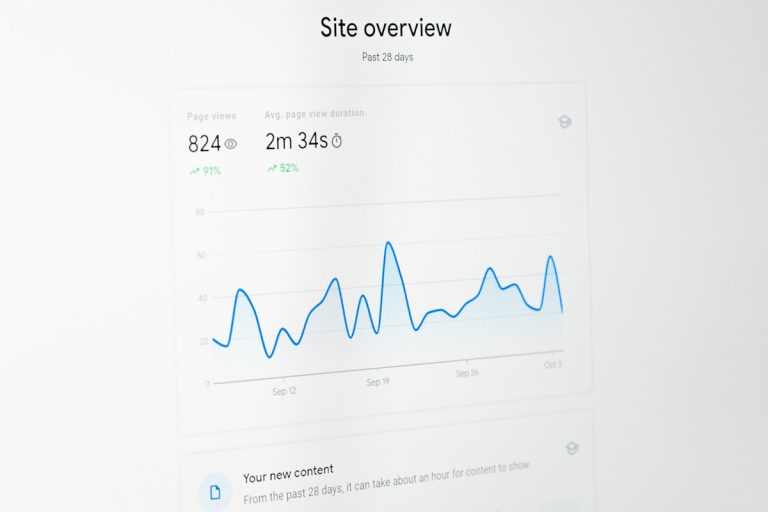
A multi-channel automation workflow connects inbound customer inquiries across chat, email, web forms, and social platforms into a single data pipeline that resolves tickets and generates technical search assets. By converting repeated user problems into structured knowledge base articles, search documentation, and Generative Engine Optimisation (GEO) data, businesses reduce repetitive manual handling while growing inbound web visits. It turns daily customer friction directly into organic visibility.
Stop Letting Your Customer Support Backlog Go to Waste
Monday morning inbox triage is notoriously draining. You log in to find hundreds of repetitive customer messages asking about integration setups, API errors, billing dates, or hidden settings. Your support agents spend their entire shift copy-pasting standard canned replies. Meanwhile, your content marketing team sits in another room running speculative keyword research, guessing what potential buyers actually care about. Building an integrated multi-channel automation workflow fixes both problems at the root. You stop keeping customer support in a separate silo, adopt AI CMO: Unified AI Marketing Automation for Digital Growth, and transform daily user queries into indexable, high-ranking web content.
Support tickets provide raw, unfiltered voice-of-customer data. Real buyers use exact phrasing to describe their daily pain points: the exact words they type into Google, Claude, Perplexity, or ChatGPT. When you deploy a coordinated multi-channel automation workflow, you no longer dump resolved tickets into closed ticket archives. Instead, your infrastructure extracts user intent, provides immediate multi-channel resolution, and pipes recurring technical gaps into public documentation that attracts qualified prospects on search engines.
What Is a Multi-Channel Automation Workflow?
For most scaling businesses, managing multi-channel communications feels like endless browser tab switching. You have one tab open for Zendesk, another for your shared mailbox, one for LinkedIn inboxes, and another for website chatbots. That is not an automated workflow; that is merely manual multi-tasking across fragmented channels.
A true multi-channel automation workflow connects every inbound message channel into a unified processing engine. It ingests messages, runs natural language understanding to assess intent and sentiment, executes backend actions, and sends contextual replies across channels without requiring human triage.
More importantly, this workflow bridges the gap between customer service and search discovery. Suppose twenty different users contact you asking how your software connects to a specific accounting platform. A disconnected team simply answers each ticket individually. A unified automated system delivers an immediate troubleshooting response to each user, identifies an existing content gap, and triggers an automated content brief to cover the integration publicly. The result is fewer tickets, lower churn, and search rankings built entirely on validated customer demand.
How Automated Support Categorisation Operates
Older automation tools relied heavily on basic keyword matching rules. If an incoming message contained the word invoice, the rule sent a link to the billing FAQ. But when a customer asked, Why did my card get charged twice on Tuesday?, the rule failed. The ticket was dumped into an unassigned queue, leaving the user waiting.
Modern automation evaluates semantic meaning, context, and historical ticket data together. It reviews the entire conversational context to determine the proper operational path in seconds. Specifically, the system performs several core functions:
- Entity Extraction: Pulling account identifiers, subscription tiers, software versions, and order IDs directly from raw text.
- Sentiment Scoring: Detecting customer frustration or churn risk to flag tickets for immediate human escalation.
- Granular Intent Labelling: Tagging tickets with exact operational categories like Stripe Webhook Mismatch rather than vague labels like General Support.
- Contextual Routing: Providing an immediate answer from connected knowledge bases or assigning the conversation to a technical specialist with pre-drafted internal notes.
This precision eliminates chaotic inbox firefighting. Support agents can stop copy-pasting routine instructions and focus their energy on high-value conversations that protect customer retention.
The Five Core Layers of an Enterprise Workflow
To build a dependable multi-channel automation workflow that runs smoothly without constant engineering maintenance, you must connect five dedicated layers:
1. The Ingestion Layer
Everything begins with unified message capture. This layer hooks directly into webhooks, corporate mailboxes, website chat widgets, and social platforms. Regardless of where a user reaches out, the ingestion layer normalises incoming payloads, preserves timestamps and sender details, and routes data into your central pipeline.
2. The Semantic and Sentiment Analysis Layer
Once an inquiry arrives, the workflow evaluates what the user needs and how they feel. By applying semantic analysis rather than static keyword matching, the engine understands tone and nuance. If an enterprise client flags a critical platform error, the workflow skips standard automated replies and immediately alerts the engineer on call.
3. The Dynamic Knowledge Retrieval Layer
For questions about technical setups, pricing tiers, or platform features, the workflow queries your product guides and internal playbooks. It generates an accurate, personalised reply and sends it across the customer’s chosen channel. When the answer resolves the inquiry, the ticket closes automatically.
4. The Content and Discovery Pipeline
This is where an advanced multi-channel automation workflow outperforms traditional helpdesks. When multiple users submit tickets about an undocumented product topic, the system flags a clear content deficit. It delivers those conversational terms to the AI Content Strategist & Generator, producing clear, public guides that answer the query for everyone. To handle indexing and climb search engine results, you can Automate Your SEO with AI without spending hours building manual keyword spreadsheets.
5. The CRM Synchronisation Layer
Finally, every customer interaction syncs back to your central CRM record. Notes on resolved inquiries, sentiment markers, and feature requests update automatically. When your business development team conducts outreach using the LinkedIn Chrome Plugin, they have direct visibility into previous support conversations, preventing mismatched sales conversations.
Custom Workflow Builders vs Dedicated AI Platforms
When organisations choose to deploy a multi-channel automation workflow, they generally consider two paths: chaining generic workflow builders together or implementing an integrated AI marketing platform.
Building with Generic Automation Tools
Generic automation builders offer wide flexibility. If you have full-time developers available, you can configure webhooks, map APIs, and transfer data between chat widgets, databases, and spreadsheets.
However, this approach introduces noticeable friction:
- Zero Native SEO Intelligence: Generic workflow tools move data, but they cannot evaluate keyword competition, search intent, or search engine visibility.
- High Maintenance Overhead: Third-party APIs change frequently. Authentication tokens expire unexpectedly. When an endpoint breaks, your workflow fails silently until a staff member notices dropped inquiries.
- Complex Model Management: Connecting vector databases, prompt chains, and language models requires writing custom code, tuning prompts, and paying multiple software invoices.
Deploying a Dedicated AI Platform
A purpose-built platform removes the technical overhead of maintaining custom scripts. By combining multi-channel communication ingestion with organic search engines, integrated systems deliver an operational pipeline designed specifically for growth.
Key advantages of an integrated platform include:
- Pre-configured multi-channel ingestion rules that work right away.
- Direct pipelines between customer support logs and automated content production.
- Integrated engines like the SEO & GEO Autopilot that keep technical search parameters and on-page factors continually optimised.
- Native tracking via the AI Visibility Tracker, tracking how your brand is cited inside generative search engines and language models.
For lean marketing teams and growing businesses, choosing an integrated platform delivers fast deployment without the need to hire dedicated infrastructure engineers.
Five Steps to Build a Scalable Multi-Channel Workflow
You do not need to replace your entire technology stack in a single afternoon. A structured rollout ensures high response accuracy, protects customer relationships, and gives your team confidence in the workflow.
Step 1: Map Inbound Touchpoints and Audit Ticket History
Start by listing every channel where customers message your brand: support emails, contact forms, social media accounts, and live chat widgets. Next, export and review your last 300 support tickets. Organise them into clear operational categories:
- Pre-sale pricing and feature queries
- Billing and account setup
- Technical errors and bug reports
- Feature requests and platform integrations
Step 2: Define Escalation Thresholds
Decide what gets automated and what requires human review. Critical topics such as refund requests, contract cancellations, and legal inquiries must always route directly to experienced team members. Routine inquiries, such as documentation requests, basic troubleshooting steps, and pricing tier clarifications, should run through your automated workflow.
Step 3: Connect Live Documentation
An automated response system depends entirely on the reference material it relies upon. Connect your user manuals, product updates, and FAQs. During the initial two weeks, configure the workflow to draft answers as internal notes rather than sending them publicly. This allows your team to review proposed answers, refine internal playbooks, and verify accuracy before automated replies go live.
Step 4: Pipe Unanswered Queries into Content Production
Set an automated trigger that activates whenever three or more users ask an identical, unaddressed question. Route that topic directly into your content calendar. If several customers ask how to export analytics to a particular platform, publish a detailed, public guide. This resolves the question for existing users while capturing organic traffic from external prospects researching the same problem.
Step 5: Audit Performance and Track Discovery
Review system metrics weekly. Track your first-contact resolution rates, average response times, and customer satisfaction scores. To ensure your newly published articles rank well across both traditional search engines and AI assistants, you can Master GEO Targeting with AI to protect and expand your digital footprint.
How Different Sectors Use Multi-Channel Automation
Every industry faces distinct customer communication challenges. Deploying a structured multi-channel automation workflow allows companies to remove operational bottlenecks while strengthening their market presence.
B2B Software Platforms
SaaS companies receive inquiries ranging from simple password resets to complex code integrations. An automated workflow handles routine billing and login requests instantly. Meanwhile, technical integration queries are pre-categorised and routed to support engineers with error logs attached. The system identifies recurring API questions and turns them into public technical tutorials, winning search visibility for niche, high-intent developer keywords.
E-Commerce Retailers
Online retailers experience sudden message volume spikes around delivery dates, tracking links, and return policies across email, social platforms, and website widgets. A multi-channel workflow connects directly to order databases, retrieves tracking details, and updates shoppers within seconds. This defers routine inquiries and leaves team members free to assist prospective buyers needing advice on higher-value orders.
Consultancies and Professional Service Firms
Agencies and consultancies handle client conversations across multiple email chains, shared workspaces, and messaging platforms. An automated workflow organises inbound client tasks, notifies project leaders, and provides automated status reports. Analysing recurring client questions helps consulting firms identify common commercial problems, which they can address in authoritative whitepapers to attract enterprise clients.
Connecting Customer Inquiries to Generative Engine Optimisation (GEO)
Many businesses fail to recognise how customer support interactions influence presence on generative AI engines such as ChatGPT, Perplexity, and Claude. Modern buyers increasingly ask conversational AI tools to evaluate software, compare service options, and recommend vendors.
Generative AI platforms rely on comprehensive, authoritative, and well-structured web documentation to formulate answers. When your multi-channel automation workflow tracks the exact vocabulary and problems your customers express, it gives you a precise roadmap for the documentation conversational search engines prefer to cite.
By analysing recurring ticket patterns, you can publish precise answers to complex technical questions. Using the AI Visibility Tracker, your team can monitor brand citations across major AI platforms, spot emerging content gaps, and turn every support conversation into lasting generative search authority.
Common Automation Mistakes to Avoid
While automation delivers substantial productivity benefits, poorly planned systems risk alienating users. Keep these principles in mind:
- Never Lock Users in Endless Bot Loops: Always provide a clear, immediate option to speak with a human agent, particularly when sentiment scoring detects high frustration.
- Keep Documentation Fresh: If your dynamic retrieval layer pulls answers from outdated knowledge bases, it will provide incorrect advice. Update your knowledge base whenever features, pricing, or procedures change.
- Avoid Automating Sensitive Topics: Billing disputes and cancellation requests demand empathy and nuanced judgment. Route these inquiries directly to experienced team members.
- Do Not Let Support Insights Stay in a Silo: When customer support and marketing teams fail to share data, marketing teams waste budget targeting speculative search terms while real customer queries go completely unanswered.
Frequently Asked Questions
What channels can be integrated into a multi-channel automation workflow?
A modern multi-channel automation workflow can ingest conversations from web chat widgets, ticketing systems (such as Zendesk or Freshdesk), shared email inboxes, contact forms, social media direct messages (LinkedIn, Twitter/X, Facebook), and community message boards.
How does support automation contribute to SEO rankings?
When users ask support questions, they use specific problem-focused language. By aggregating frequent support inquiries, the workflow identifies keyword gaps and produces targeted public documentation. These guides match high-intent organic search queries and provide the factual depth required to rank in both traditional search engines and AI answer engines.
Will automated workflows frustrate customers who want human help?
No, provided you configure sentiment analysis and clear human escalation paths. The workflow should resolve simple, repetitive questions instantly while routing emotionally sensitive, complex, or high-value inquiries directly to a human agent without delay.
What is the difference between SEO and GEO in an automated workflow?
SEO (Search Engine Optimisation) focuses on ranking public pages in traditional search engine results pages like Google. GEO (Generative Engine Optimisation) focuses on structuring your content and brand citations so that conversational AI engines like ChatGPT, Claude, and Perplexity quote your business when users ask for recommendations or solutions.
Drive Organic Revenue by Turning User Friction into Search Content
A modern multi-channel automation workflow delivers two clear financial advantages: it cuts operational overhead by automating routine tickets, and it drives organic revenue by turning user friction into targeted search content.
Expanding human support teams requires substantial expenditure on recruitment, onboarding, and management. When message volumes spike, businesses are often forced to choose between over-hiring or suffering through slow reply times. An automated workflow handles volume increases effortlessly, maintaining average response times under two minutes around the clock.
At the same time, traditional marketing budgets are frequently wasted on costly agency retainers that produce generic articles with poor organic engagement. By turning genuine user questions into detailed, public guides, you create valuable assets that directly match search demand. Start using the SEO & GEO Autopilot today to streamline communications, scale your inbound search visibility, and Boost Your Search Rankings Now without burning internal resources.