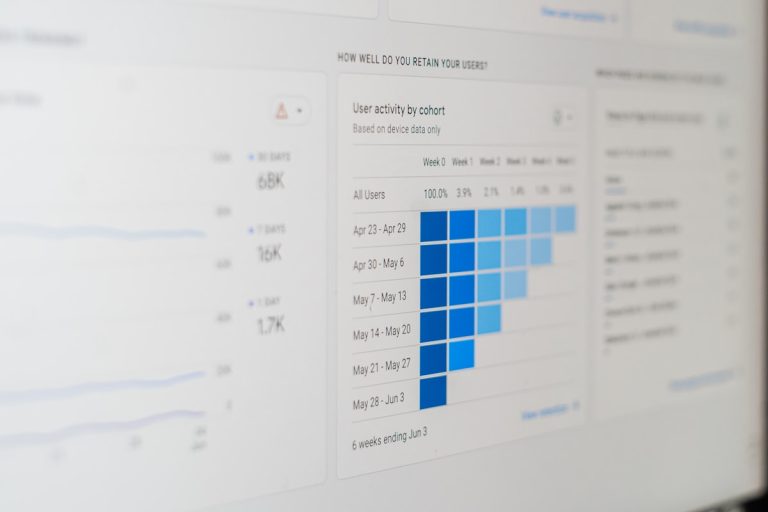
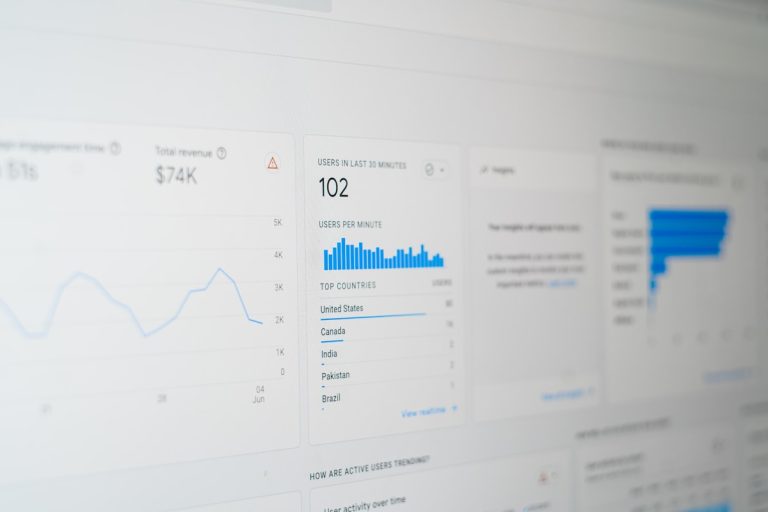
An AI SEO dashboard is an analytics setup that connects technical search crawler data, generative AI citations, and on-site user engagement directly to sales revenue. By matching these data layers on a shared URL structure, digital marketing teams can prove exactly how indexation health and conversational AI presence generate real income. This stops the guesswork, ends the vanity metric trap, and shows business leaders the exact commercial return of organic search.
Traditional search tracking is broken. You show up to a finance meeting with charts showing keyword positions moving from page five to page two. Your finance director looks up and asks how many pounds that keyword deposited into the bank account this month. Cue the awkward silence. Setting up a dedicated AI SEO dashboard bridges this divide once and for all. To eliminate manual data stitching and automate your growth, try AI CMO: Unified AI Marketing Automation for Digital Growth.
Why Legacy SEO Dashboards Fail Modern Digital Teams
Classic SEO reporting tools were designed for a web that no longer exists. Ten years ago, you tracked ten blue links on Google. If your commercial URL was in position one, you got the traffic and made the sales. Today, search discovery is scattered across traditional search engines, conversational answer engines like ChatGPT, Claude, and Perplexity, plus generative AI summaries right on the results page.
Watching a single ranking number in an isolated tool provides zero business value. Traditional marketing dashboards fail modern teams for five major reasons:
- Disconnected data silos: Technical site health lives inside an auditing platform. Visitor behaviours hide inside Google Analytics. Sales and revenue remain locked inside Stripe or your CRM. Almost nobody has the engineering capacity to stitch them together every week.
- Vanity metrics over bank deposits: Ranking at the top for an informational term looks brilliant in a slide deck. Yet, it means nothing if the page converts at 0.01% or if a generative answer engine answers the query without sending a single visitor to your site.
- Zero connection to developer backlogs: When engineers spend a sprint fixing internal link structures, legacy platforms cannot show how much pipeline that technical work generated over the next three months.
- Slow, manual reporting overhead: Exporting CSV files, fixing broken lookups in spreadsheets, and wrestling with pivot tables wastes valuable hours that your team should spend on execution.
- Total blindness to generative search engines: Traditional platforms cannot tell you if modern large language models recommend your brand when potential buyers ask for advice, or whether they hand those customers to your competitors.
Switching to an AI SEO dashboard shifts the conversation entirely. You move away from theoretical organic traffic estimates and focus on actual business results.
What Are the Core Layers of an Intelligent Search Dashboard?
To build an analytics system that business leaders trust, you need to organise your metrics across three clear layers. Each layer feeds into the next, providing a direct line of sight from a bot crawl request to a completed purchase.
1. Technical Health and Bot Crawl Efficiency
Search engine bots and AI web scrapers cannot index what they cannot render. When crawlers burn through their crawl budget on broken links, messy URL parameters, or slow scripts, your primary revenue-driving pages get missed.
Your technical layer must monitor:
- Crawl budget usage and server response codes: Catching 4xx broken links, 5xx server drops, and non-canonical URL loops before they hurt your organic visibility.
- Indexation efficiency: Measuring the proportion of published commercial pages that are actually indexed and searchable across each section of your website.
- Real Core Web Vitals: Tracking Largest Contentful Paint (LCP), Interaction to Next Paint (INP), and Cumulative Layout Shift (CLS) through real user data rather than synthetic tests.
- JavaScript rendering speed: Identifying client-side script delays that prevent dynamic content from being read by search crawlers.
2. User Engagement and Intent Indicators
Traffic numbers are useless if visitors leave after three seconds. Engagement data reveals whether your content actually solves the searcher’s problem, which modern algorithms assess continually.
Vital engagement metrics include:
- Active dwell time and scroll depth: Pinpointing exactly where prospects stop reading or lose interest.
- Channel-specific engagement rates: Comparing organic search visitors with direct or referral traffic to check user intent.
- Micro-conversions: Tracking PDF downloads, interactive tool usage, free trial sign-ups, and newsletter subscriptions.
- Navigation dead ends: Spotting educational articles that fail to direct readers toward a relevant solution or product page.
3. Financial Attribution and Revenue Metrics
This is the missing link in most digital marketing reports. To secure ongoing budget, you must tie bot crawling and organic visits directly to commercial outcomes.
Key revenue metrics include:
- Assisted pipeline value: Crediting search touchpoints that introduced a buyer to your site, even if their final purchase occurred via a direct visit weeks later.
- Average Order Value (AOV) by directory: Seeing whether your technical guides bring in high-value enterprise clients or low-budget browsers.
- Revenue per organic session: Calculating total sales divided by organic sessions across specific subfolders.
- Customer Lifetime Value (LTV) by search landing page: Measuring customer retention rates based on the original organic page where a buyer first found your brand.
| Dashboard Layer | Primary Data Source | Key Metrics Monitored | Core Strategic Value |
|---|---|---|---|
| Technical & Crawl | Server Logs, Search Console | LCP, INP, 4xx/5xx errors, Indexation rate | Protects crawl budget and guarantees discoverability |
| Engagement Signals | Analytics platforms, Event tags | Dwell time, Scroll depth, Interaction rate | Confirms user intent and content relevance |
| Commercial Value | CRM, Payment processors | Revenue per session, Pipeline, Customer LTV | Justifies engineering priorities and marketing spend |
How to Build Your AI SEO Dashboard Step by Step
Building an enterprise-ready analytics setup does not require building a custom database platform from scratch. It requires establishing automated pipelines, setting up a consistent URL taxonomy, and ranking issues by financial impact.
Step 1: Automate Your Data Ingestion Pipeline
Stop relying on manual spreadsheets. Establish automated data connections using webhooks and standard application programming interfaces (APIs):
- Connect your search console accounts to pull query impressions, clicks, and rankings without manual limits.
- Stream behavioural event data directly from your analytics provider.
- Connect your payment gateway or CRM to pull live order numbers, recurring revenue, and account values.
- Feed these streams into a central business intelligence tool where data merges automatically using page URLs and user sessions.
If you want to skip building brittle custom connections, use Automate Your SEO with AI so autonomous systems can manage your technical setup.
Step 2: Establish a Clear URL Taxonomy
A common mistake is letting different teams use conflicting labels for the same areas of a site. If your developers call your product catalogue /catalog, your analytics tool tags it as /products, and your sales team calls it /store, your dashboard reports will break.
Establish a strict categorisation standard across the business:
- Organise URLs into tidy subdirectories: Solutions, Blog Guides, Product Details, Category Pages, and Docs.
- Standardise tracking parameters across all internal links and marketing campaigns.
- Assign ownership clearly: define whether developers, content writers, or product managers manage each folder.
Deploying SEO & GEO Autopilot makes this process simple by standardising technical structures, monitoring metadata, and keeping your site taxonomy organised around the clock.
Step 3: Track Generative Engine Visibility
Search discovery is no longer restricted to classic search results. You also need to track Generative Engine Optimisation (GEO). When a prospective buyer asks an AI tool to recommend software, does the model mention your company?
By deploying the AI Visibility Tracker, your AI SEO dashboard can record:
- Citation frequency across primary conversational AI models.
- Sentiment analysis of brand mentions across conversational search tools.
- Visibility gaps where competitors are recommended for relevant queries while your business is left out.
Step 4: Configure Statistical Anomaly Alerts
A dashboard that sits unread on a screen provides zero commercial value. Your system needs to notify your team the moment numbers deviate outside normal ranges.
Set up automated alerts for high-priority events:
- Notify the growth team whenever impressions on high-converting landing pages fall by more than 15% week over week.
- Trigger a developer alert if page loading times spike following an engineering release.
- Send an alert to content managers when an educational guide suddenly drives commercial sign-ups, signalling an emerging buyer trend.
Step 5: Rank Remediation Work with Commercial Impact Scoring
Data without execution generates no profit. When your system flags an issue, push it straight into your project management workflow.
Rank every task using a commercial scoring framework:
Priority Score = (Revenue Impact × Confidence) ÷ Developer Effort
- Revenue Impact: How much monthly revenue is being lost due to this technical problem?
- Confidence: How sure are we that fixing this error will recover the lost performance?
- Developer Effort: How many engineering hours does the fix require?
High-impact, low-effort tasks immediately move to the top of your sprint. Low-impact cosmetic requests get archived. To ensure your regional reach matches these technical improvements across multiple target markets, you can Master GEO Targeting with AI to keep your brand visible in every target territory.
Practical Growth Scenarios Solved by an AI SEO Dashboard
Let us look at how an integrated dashboard resolves expensive commercial issues without endless meetings or finger-pointing.
Scenario A: Catching JavaScript Rendering Issues
Imagine an e-commerce retailer that rolls out an interactive product filter. Everything looks great in internal browser tests. Two weeks later, organic revenue across category pages drops by 20%.
A legacy analytics report only shows the drop in traffic. Marketing and engineering teams waste days arguing over whether the drop is due to seasonality or algorithm updates. An AI SEO dashboard spots the root cause right away: the client-side script doubled bot render times, causing search crawlers to abandon execution before indexing the newly loaded product links. The system calculates the daily financial loss, logs an urgent ticket in the sprint backlog, and guides developers to implement server-side rendering for primary product links.
Scenario B: Spotting New Search Demand
Suppose the AI Content Strategist & Generator detects a sudden surge in search queries around a specific operational problem that your software solves. Traditional reporting methods often bury these impressions deep inside Search Console exports for weeks.
An intelligent dashboard spots this clustering straight away. It highlights that while impressions jumped by 300%, click-through rates remain low because you lack a dedicated landing page for that exact query. The system prompts your team to publish an authoritative, high-converting guide focused on that search intent, capturing high-intent prospects before your competitors notice the trend.
Scenario C: Identifying High-Value Professional Buyers
Frequently, corporate buyers research your tools, read several technical guides, and leave without completing a purchase. If your sales team works in a separate tool, that context is lost. By pairing organic search analytics with the LinkedIn Chrome Plugin, your growth teams can identify the business profiles engaging with your in-depth guides and start relevant conversations on professional social networks. This turns passive organic traffic into qualified sales opportunities.
Operational Rules for Maintaining Your Reporting Stack
An advanced dashboard can quickly get messy if neglected. Follow these practical rules to keep your reporting clean, reliable, and actionable.
Set Clear Hypotheses Before Major Changes
Never roll out widespread website updates without documenting your expected outcome. Record your hypotheses in advance:
- Reducing our checkout page Interaction to Next Paint from 320ms to below 120ms will decrease abandonment by 6% and lift revenue within three weeks.
- Adding structured schema to our service pages will secure conversational AI citations and generate additional qualified sales leads this quarter.
Tracking these targets inside your dashboard ensures your team runs methodical experiments rather than making reactive changes.
Use Phased Rollouts with Control Groups
When testing technical site alterations or metadata adjustments, avoid changing your entire website at once. Use phased rollouts across distinct page clusters.
Apply adjustments to 20% of your subdirectories while leaving the remaining 80% untouched as a benchmark group. Monitor performance over two reporting cycles. If the test group outperforms the control group with clear statistical significance, roll out the changes across the rest of the site with confidence.
Audit Data Pipelines Monthly
Data pipelines break. Tracking tags drop off during site redesigns, payment processors update webhook configurations, and search platforms change API rules. Carry out monthly checks on your analytics stack:
- Identify orphaned URLs that lack primary tracking scripts.
- Reconcile payment gateway records against organic attribution figures.
- Confirm that third-party checkout flows are not skewing attribution across payment domains.
Unifying Content, Engineering, and Executive Leadership
The real power of an AI SEO dashboard lies in bringing separate departments together around clear commercial facts. When developers, copywriters, and executives review identical data, organisational priorities align without friction.
What Developers Get
Developers frequently ignore SEO requests because they arrive as disconnected demands: fix these forty redirect chains right now.
When you present that request through your dashboard, the conversation changes: these forty redirect chains delay server response on category pages that generate £75,000 in monthly organic revenue. Cleaning them up recovers crawl budget and speeds up customer journeys. Developers understand and respect tasks that clearly support site performance and product revenue.
What Content Writers Gain
Editorial teams frequently write guides without knowing whether their work generates commercial returns. Connecting reading behaviour and conversion paths directly to individual articles shows copywriters which formats engage actual buyers.
They can see how visual diagrams influence page dwell times, how contextual internal links elevate older articles, and which subject areas earn authoritative citations across conversational answer engines.
What Executives Need
Directors and board members do not have time to dissect individual keyword positions or raw server logs. They want to know the bottom-line return on investment for their organic marketing resources.
Your dashboard provides concise summaries that answer their fundamental questions:
- What is our blended organic customer acquisition cost compared to paid marketing channels?
- How much recurring revenue came from search engines and AI recommendations this quarter?
- What is our total organic market share compared to our direct competitors?
By showing clear commercial returns alongside real-time technical monitoring, you prove that organic search is a reliable growth engine rather than an ambiguous marketing cost. To discover how automated intelligence can unite your crawling health, conversational AI presence, and revenue reporting in one place, Start Your SEO Autopilot today.
Frequently Asked Questions
What is an AI SEO dashboard?
An AI SEO dashboard is a unified analytics platform that combines technical search bot crawling data, Large Language Model (LLM) visibility metrics, and user behavioural analytics with commercial transaction records. It allows marketing and engineering teams to attribute real pipeline and revenue directly to technical SEO improvements and AI search presence.
How does an AI SEO dashboard track revenue attribution?
It links organic search sessions to customer IDs and transaction records using a standardised URL taxonomy. By tracking both first-touch introductions and multi-touch assisted conversions, the dashboard attributes specific revenue figures to individual landing pages, topic clusters, and technical fixes.
Why are traditional SEO dashboards no longer sufficient?
Legacy dashboards focus strictly on keyword positions and estimated traffic volumes within traditional search engines. They operate in silos disconnected from business revenue, ignore modern generative search engines like ChatGPT and Perplexity, and fail to prioritize technical developer backlogs by financial value.
What is the difference between SEO and GEO in an analytics dashboard?
SEO monitors your performance, crawling health, and keyword rankings across traditional search engine result pages. GEO (Generative Engine Optimisation) tracks how frequently, accurately, and favourably your brand is cited by conversational AI engines and Large Language Models when users ask for product or solution recommendations.