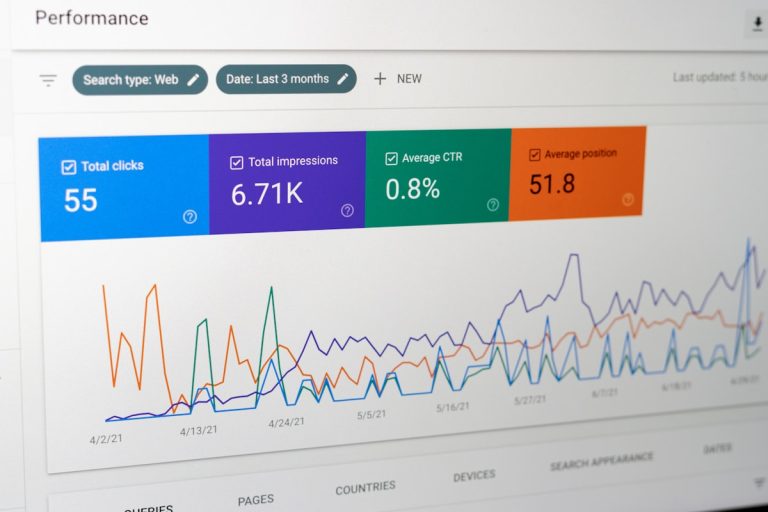
Real-time user behaviour analytics is the immediate tracking and visual inspection of live website interactions as they happen. It captures micro-signals such as rage clicks, pointer pauses, dead taps, and form abandonment on the fly without waiting for 24-hour batch processing. By surfacing friction the exact second a prospective buyer struggles, growth teams can repair critical funnel leaks before potential revenue walks out the door.
Waiting days for monthly analytics reports is like waiting for an autopsy when your checkout flow needs emergency triage. Traditional dashboards reveal that people left, but they never tell you why. With live behavioural tracking, marketing and product teams get immediate clarity on the precise digital hurdles costing them conversions.
Why Real-Time User Behaviour Analytics Rescues Sinking Funnels
Most growth teams burn through substantial marketing budgets driving targeted visitors to bespoke landing pages, only to wonder why conversion rates remain flat. When you rely solely on stale reports, you only see aggregated figures days after those visitors have abandoned their baskets. A conventional dashboard might highlight a sudden jump in exit rates, but it leaves you blind to the broken script on mobile devices or the checkout button hidden beneath a sticky banner. By implementing real-time user behaviour analytics, you stop playing guessing games with your traffic and start spotting the exact code glitches and layout blunders that turn buyers away.
Modern digital marketing moves far too fast for bloated agency retainers, slow development sprints, and fractured tool stacks. Ambitious teams hook their behavioural insights directly into autonomous platforms such as AI CMO: Unified AI Marketing Automation for Digital Growth. When you notice visitors hesitating over a vague pricing paragraph or struggling on a sign-up form, you cannot afford to wait weeks for an external consultant to look at the logs. Marrying immediate telemetry with automated systems lets you patch revenue leaks instantly, safeguard your paid ad spend, and keep visitors gliding through your conversion funnel.
What Is Real-Time User Behaviour Analytics?
Real-time user behaviour analytics monitors digital visitor interactions as they take place on your website or web application. Instead of bundling events into delayed, rolling batches, it streams telemetry directly from the visitor’s browser straight to your diagnostic console.
Think about what an actual human buyer does on your landing page before throwing their hands up and clicking away:
- They pause their mouse pointer over a confusing guarantee clause for thirty seconds.
- They tap an unlinked partner badge three times on a mobile screen, expecting a verification pop-up that never shows up.
- They start typing into your registration form, run into an aggressive validation rule on an optional telephone field, and shut the tab.
- They scroll halfway down your comparison table, jerk their pointer back up to the top navigation, and bounce.
Traditional analytics platforms package that whole sequence into one silent, non-converting session. Live behavioural tracking catches every second of that frustration. It swaps internal opinions and subjective hunches for direct, observable facts.
Why Traditional Web Analytics Masks Conversion Friction
Plenty of teams pour money into search marketing and paid ads, only to watch their conversion numbers stagnate. When managers look at legacy tools to diagnose the trouble, the headline metrics often deceive them.
The Trap of Average Session Duration
Suppose your weekly report claims visitors spend an average of three and a half minutes on your service page. That sounds brilliant on paper. It looks like deep engagement and genuine interest.
When you review live behavioural streams, however, you realise those visitors spent three minutes trying to close an overlapping mobile popup with an invisible exit cross. What looked like deep brand research was actually pure exasperation. Leaning on aggregate numbers can make you celebrate metrics that are actively alienating your best prospects.
Why Aggregate Bounce Rates Tell Half the Story
Seeing a 65% bounce rate tells you that visitors departed, but it never explains why. Did an asynchronous script pop up and shove your call-to-action button off the screen just as a user tapped it? Did an uncompressed hero image take seven seconds to load over a standard mobile connection? Standard analytics packages cannot answer those questions; real-time interaction data answers them instantly.
The Heavy Cost of Batch Reporting Delays
Batch delays can quietly burn through your marketing budget. Suppose you push a major paid ad campaign live on a Friday afternoon, but a subtle javascript error breaks your lead form on Safari. Traditional analytics won’t reveal that slump until Monday morning. By the time your team opens the dashboard, you have burned days of ad spend on traffic that had zero chance of converting. Real-time telemetry exposes broken funnels within minutes, letting you fix the bug before your budget disappears.
How Does Real-Time Behavioural Tracking Differ from Batch Analytics?
To see why forward-looking businesses are upgrading their conversion stacks, examine how legacy analytics compares to streaming user behaviour telemetry:
| Diagnostic Dimension | Traditional Batch Analytics | Real-Time User Behaviour Analytics |
|---|---|---|
| Reporting Speed | 12 to 48-hour batch processing | Instant, streaming event feed |
| Data Format | Aggregate tables and pageview totals | Interactive replays, micro-events, live flows |
| Primary Insight | Shows what occurred in the past | Explains why visitors are struggling right now |
| Friction Discovery | Inferred vaguely from exit percentages | Flagged via rage clicks, dead taps, and pauses |
| Operational Focus | Retrospective reviews after money is spent | Rapid triage and immediate operational fixes |
| Form Diagnostics | Basic submission or abandonment counts | Field-level hesitation, error counts, drop-off points |
| Actionability | Slow, committee-driven redesigns | Direct, evidence-backed micro-adjustments |
Which Critical Behavioural Signals Should You Monitor?
Optimising conversion funnels does not mean spending eight hours a day watching strangers browse your site. That is a quick route to burnout. Instead, you need to watch for specific behavioural red flags that signal friction.
1. Rage Clicks and Dead Clicks
A rage click happens when someone rapidly taps or clicks an element multiple times within a couple of seconds. It is the digital equivalent of hammering an elevator button when the doors stay shut.
A dead click happens when a user clicks something that looks like an interactive button or hyperlink (like an underlined headline, a card container, or an icon) but nothing happens. Both patterns highlight broken interactive code or misleading visual cues that frustrate prospective buyers.
2. Form Field Hesitation and Abandonment
Forms are the bridge between casual interest and qualified pipeline. Live tracking captures the exact seconds spent on each input box, repeated corrections, and the specific field where users finally abandon the page.
If prospective buyers constantly pause or re-type their information inside a mandatory company size field, your form is causing unnecessary friction. Removing or simplifying that single input can instantly lift your completion rates.
3. Dynamic Heatmaps and Cursor Flow
Old static heatmaps fall flat on modern web applications that rely on sliders, collapsible accordions, and interactive pricing calculators. Dynamic tracking maps live interaction patterns across three areas:
- Click Density: Highlights where user attention concentrates and reveals whether non-clickable decorative graphics are stealing focus from your primary calls to action.
- Cursor Paths: Desktop mouse movements closely mirror eye tracking. Lingering pauses in cursor flow highlight where visitors stop to evaluate arguments, or where confusing technical terms create hesitation.
- Scroll Depth by Viewport: Shows exactly how far visitors scroll across different mobile and desktop displays. If your checkout button sits at 75% scroll depth, but 60% of smartphone users drop off at 45%, most of your mobile visitors never even see your offer.
4. Navigation Loops and Rapid Backtracking
When a user flips back and forth between your pricing table and your features overview, they cannot find the specific detail they need to make a purchase decision. Spotting these loops in real time alerts you to missing information, allowing you to clarify your copy and answer purchase objections directly on the landing page.
How Can You Run an Agile Sprint to Eliminate On-Site Friction?
Gathering behavioural data without a clear action plan changes nothing. Rushing into sweeping site overhauls based on gut instinct wastes engineering resources and can accidentally damage your baseline conversion rates. You can follow this four-step sprint to systematically plug funnel leaks.
Step 1: Filter by Commercial Intent
Do not waste time analysing low-intent traffic across general resource pages. A reader casually browsing a top-of-funnel guide behaves entirely differently from a qualified buyer comparing enterprise plans. Narrow your live tracking view to high-value pages: checkout steps, quote forms, and core landing pages.
Step 2: Segment by Viewport and Referral Source
Segment user journeys by device resolution and campaign origin. A visitor clicking an ad from a smartphone expects immediate, clean navigation, whereas an organic desktop researcher is often hunting for detailed technical documentation. Check your viewports for specific rendering bugs, such as sticky navigation bars that cover up form fields or live chat widgets that block the checkout button on small screens.
Step 3: Implement Targeted Micro-Adjustments
Do not redesign an entire layout when an isolated micro-adjustment fixes the bottleneck. If your behavioural data reveals that visitors miss your main call to action because the button colour blends into the background, tweak the contrast. If users keep clicking an unlinked feature preview, turn it into an interactive demo modal. Focused, evidence-based adjustments generate clean conversion lifts without disrupting your baseline code.
To keep high-intent traffic arriving on these refined landing pages, ensure your technical search footprint remains consistently healthy. You can Start Your SEO Autopilot to keep your search performance running smoothly around the clock without manual overhead.
Step 4: Validate Adjustments Against Live Traffic Cohorts
Traditional split testing can drag on for weeks while you wait for batch tools to confirm statistical significance. Live behavioural analytics allows you to evaluate the impact of a tweak against the very next cohort of visitors. Did the rage clicks disappear? Did time-in-form drop? Are prospects progressing straight through to the confirmation screen? Real-time validation condenses weeks of waiting into rapid daily sprints.
Connecting On-Site Behaviour to Modern AI Discovery
Your visitor’s conversion journey does not begin when they land on your website; it begins at the discovery phase. Today, buyers increasingly locate software, services, and products through conversational AI tools and generative search engines alongside standard search indices. The expectations set during that initial interaction determine how visitors react when your site loads.
If an AI engine recommends your brand for enterprise custom deployments, but your landing page immediately pushes a basic self-serve subscription, the visitor hits an immediate cognitive disconnect and leaves. To ensure your brand presence remains accurate across generative engines, the AI Visibility Tracker monitors your footprint across Large Language Models, uncovering visibility gaps and showing how conversational engines present your business to prospective clients.
Geographic nuances also play a major role in user interaction patterns. Prospects from different territories expect local currencies, relevant case studies, and regional terminology. When those details are absent, bounce rates rise sharply. You can Enhance Your Local Visibility to align local search discovery with tailored landing experiences that keep international visitors engaged.
Automating the Growth Feedback Loop
Sitting at a desk manually watching session replays every morning is not a practical approach for lean teams and growing businesses. You have campaigns to coordinate, strategic messaging to refine, and sales pipelines to manage.
This is where connected automation makes a substantial impact. By linking your behavioural insights with operational tools like the SEO & GEO Autopilot and the AI Content Strategist & Generator, you build a self-improving marketing engine. When your interaction metrics show that visitors consistently hesitate over ambiguous product descriptions or bounce on specific comparison queries, automated content workflows can update the copy, address missing proof points, and refine your metadata without delays.
Rather than juggling fragmented tools or waiting on slow agency deliverables, unified AI systems streamline the entire process. Your growth setup identifies user friction, adjusts on-page messaging, maintains strong search visibility, and systematically protects your conversion funnel.
Privacy and Performance Standards for Live Tracking
Running live behavioural analytics requires strict attention to website speed and data privacy. Overlooking regulatory standards or slowing down your page speeds will erode user trust and damage your organic rankings.
Complying with UK GDPR and Privacy Regulations
Tracking live user interactions demands strict adherence to privacy legislation. When analysing traffic across the United Kingdom and Europe, compliance with the UK GDPR and the Data Protection Act 2018 is non-negotiable:
- Consent Protocols: Never fire behavioural tracking tags before visitors provide explicit, affirmative consent via a compliant cookie banner.
- Client-Side Data Masking: Make sure your tracking snippet scrubs text inputs, credit card details, passwords, and personal information directly in the browser before data leaves the user’s device.
- Data Retention Rules: Store session records only as long as needed to finish your optimisation sprint, and configure automated data deletion routines.
Protecting Core Web Vitals and Page Speed
Bulky analytics snippets can hurt your Interaction to Next Paint (INP) and Largest Contentful Paint (LCP) scores. Every extra hundred milliseconds of load time pushes bounce rates higher.
To maintain high page performance while running behavioural analytics:
- Load diagnostic scripts asynchronously or defer them until after the main Document Object Model has finished rendering.
- Pick lightweight tracking libraries that rely on modern browser APIs like
requestIdleCallbackso they do not hog the main thread. - Carry out regular tag manager cleanups to remove dead tracking pixels left behind by old campaigns.
Frequently Asked Questions
How does real-time user behaviour analytics differ from session replay tools?
Session replay tools are one component of behavioural analytics, but traditional replays often process sessions hours after the visitor has left. Real-time behavioural analytics streams events as they occur, giving you immediate alerts for rage clicks, dead taps, or validation errors so you can intervene before losing more traffic.
Will real-time behavioural tracking slow down my website?
Not if it is implemented correctly. High-performance tracking libraries execute asynchronously and use lightweight APIs to process data in the background without blocking the main browser thread. This keeps your Core Web Vitals healthy and ensures page load times remain snappy.
Is real-time user behaviour analytics compliant with UK GDPR?
Yes, provided you respect user consent and deploy client-side data masking. Your tracking setup must never record sensitive personal data like passwords or credit card numbers, and tracking scripts should only fire after a visitor grants consent via your cookie preferences.
What is the most common reason for form abandonment?
Unclear validation errors and unnecessary compulsory fields cause the vast majority of form drop-offs. When real-time tracking highlights long pauses on specific input boxes, removing those fields or clarifying the formatting instructions usually resolves the friction immediately.
Protect Your Conversions by Acting on Real-Time Insights
Modern digital marketing is no longer about sifting through static PDF reports at the end of the month. As AI-powered search engines change user habits and digital competition intensifies, conversion rate optimisation must happen in lockstep with live traffic. Thriving businesses do not let funnel friction chew through their ad spend; they identify bottlenecks the moment they appear, push quick fixes, and connect those insights directly to their broader acquisition strategy.
Pairing real-time user behaviour analytics with unified marketing automation stops costly conversion leaks, protects your marketing budget, and creates smooth on-site journeys that turn visitors into loyal clients. To unify your digital marketing stack and build a resilient conversion engine, explore AI CMO: Unified AI Marketing Automation for Digital Growth today.