Unlock Consistent LinkedIn Growth with AI Precision
Tired of juggling spreadsheets and half-forgotten notes? A LinkedIn content calendar is great but it can become a monster of manual work. That’s where content strategy automation comes in. You get structure, you get predictability. Most importantly you get time back.
Our Chrome plugin uses AI insights to plan posts, suggest tags and even pick the best time to hit “Publish”. Whether you’re an SME owner, a marketing lead or a startup founder, you’ll find fewer headaches and more engagement. Ready to cut the clutter and embrace seamless content strategy automation? Get started with content strategy automation
Content strategy automation means setting up an organised system that thinks ahead for you. It drafts ideas, slots them into a calendar and handles posting. No more late nights editing links or guessing which hashtag might work. It all happens in one place. Welcome to consistent LinkedIn growth.
Why You Need an AI-Powered LinkedIn Content Calendar
Every marketer knows planning pays off. Yet most plans fall apart when a spreadsheet or slide deck fails to talk back. Here’s why an AI-powered calendar is different:
- Consistency: Posts go out on time. Every time.
- Focus: You spend energy on ideas not reminders.
- Insight: AI suggests topics based on data, not hunches.
- Efficiency: Less copy-paste. More strategy.
Manual calendars feel like busywork. You draft a post, remember to tag, then scramble to post on time. Our plugin connects straight to LinkedIn. Your plan, your draft, your tags: all in one interface. Hit schedule and you’re done.
Setting Up the AI CMO LinkedIn Chrome Plugin
Getting started takes minutes. No coding or fancy tricks needed. Here’s how:
- Install the plugin from the Chrome Web Store.
- Log in with your LinkedIn account.
- Authorise posting rights.
- Create a new content database in your favourite note tool.
- Tag posts with themes and hashtags.
- Set dates and times.
That’s it. The plugin reads your draft, keeps formatting intact and posts for you. Images, videos, rich text — it all publishes exactly as you saved it. No surprises. No missing elements.
Crafting Your Content Strategy with AI Insights
Ever stared at a blank page, waiting for inspiration? AI can help you break that block. It can:
- Analyse your past posts for top performers.
- Suggest new topics based on trends.
- Generate catchy headers in seconds.
- Recommend relevant hashtags and keywords.
AI acts like a brainstorming partner that never sleeps. It spots patterns you’d miss. It spots times when your audience is most active. Then it lines up ideas and slots them into your calendar. Feels like magic but it’s just smart automation.
Halfway through your setup? Still curious how AI makes it smoother? Discover content strategy automation with AI CMO
Scheduling and Automation: Streamline Your Workflow
You’ve drafted. You’ve tagged. Now you schedule. No more copy-paste. Here’s the flow:
- Pick a draft.
- Choose the date and time.
- Confirm your media attachments.
- Hit “Schedule”.
Behind the scenes our system queues your post. It handles LinkedIn’s API, maintains formatting and posts on the dot. You get a notification. You move on to the next task. If you need to tweak, edits reflect in real time. That simple.
Measuring Success: Analytics at Your Fingertips
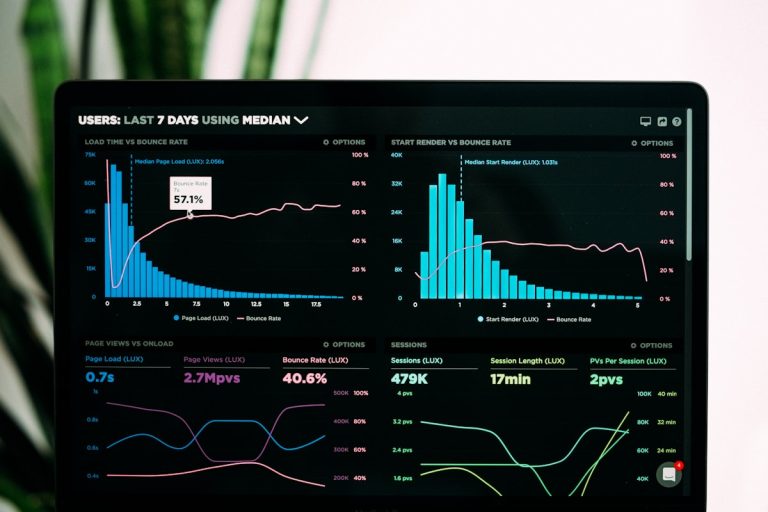
A calendar is only as good as its data. We include built-in analytics so you can:
- Track impressions and clicks.
- Compare post types side by side.
- See hashtag performance.
- Identify your best posting windows.
Data shows what works. Then you refine. The more you use AI insights, the smarter your calendar becomes. It’s a feedback loop that keeps improving your LinkedIn reach.
How AI CMO Stands Out from Other Tools
Lots of platforms promise some form of automation. Here’s how we compare:
- SEMrush, Moz, Ahrefs: Great analytics but no hands-on AI posting.
- HubSpot, Marketo: Full marketing suites but no geo targeting or SEO automation built in.
- Mailchimp, SendinBlue: Email champs without LinkedIn focus.
- Canva, Sprout Social, GetResponse: Excellent design and scheduling tools but no real AI-driven suggestions.
We bring posting, planning and AI together in one Chrome plugin. No jumping between apps. No missing links. Real-time tracking. Full automation for SEO and geo-targeted content. That’s our edge.
Real-World Impact: Testimonials
“Before the plugin I spent hours updating spreadsheets. Now my plans write themselves and publish on time. Engagement is up 40 per cent.” – Jane Morris, SME Owner
“I love the AI insights. It suggested topics I never thought of. My posts get better every week. Best of all I get my evenings back.” – Peter Khan, Marketing Manager
“Switching to this plugin felt like hiring a mini team. Content ideas, scheduling and analytics all in one place. It’s easy and reliable.” – Linda Fraser, Startup Founder
Conclusion
Building a LinkedIn content calendar doesn’t have to be a chore. With our AI-powered Chrome plugin you get planning, posting and analysis in one neat package. You stay organised, you stay consistent and you see results faster. Ready to streamline your process with content strategy automation? Explore content strategy automation today