Unlock 24/7 SEO Automation While Ensuring Timely Payments
Running a lean marketing deck means juggling multiple hats. You need to keep your SEO humming all day long with robust 24/7 SEO automation, and on top of that, avoid chasing payments every month. What if you could set it and forget it for both? Imagine a system that not only optimises your content for search around the clock, but also nudges clients the moment an invoice hits due. That dream is real with AI CMO’s unified platform. Try 24/7 SEO automation with AI CMO: All-in-One AI Marketing Automation for SEO, GEO, and Multi-Channel Growth
In this guide, we’ll break down how to configure billing reminders in your marketing automation tool. You’ll learn to define billing triggers, craft reminder templates, and monitor responses without tapping on your keyboard each morning. Plus, we’ll explore how seamless billing workflows can free your team to focus on high-impact tasks—like refining that 24/7 SEO automation engine that keeps traffic flowing. Let’s dive in.
Why Automating Billing Matters
Late payments are a growth killer. Constant follow-ups eat into hours better spent on strategy or content. By automating your billing reminders you:
- Maintain a healthier cash flow
- Reduce human error (no more missed dates)
- Free up your team to tackle creative work
- Build a professional image with timely nudges
With AI CMO you get more than invoicing bells and whistles. The same platform that delivers 24/7 SEO automation also handles your financial follow-up logic.
Setting Up Automated Billing Reminders in AI CMO
The setup is surprisingly simple. Here’s a step-by-step:
1. Define Your Billing Criteria
• Invoice thresholds: daily, weekly or monthly
• Customer segments: SMEs, startups, or enterprise
• Custom fields: subscription type, project codes
Start by selecting the client list and setting due dates. AI CMO will pull that from your integrated CRM in seconds.
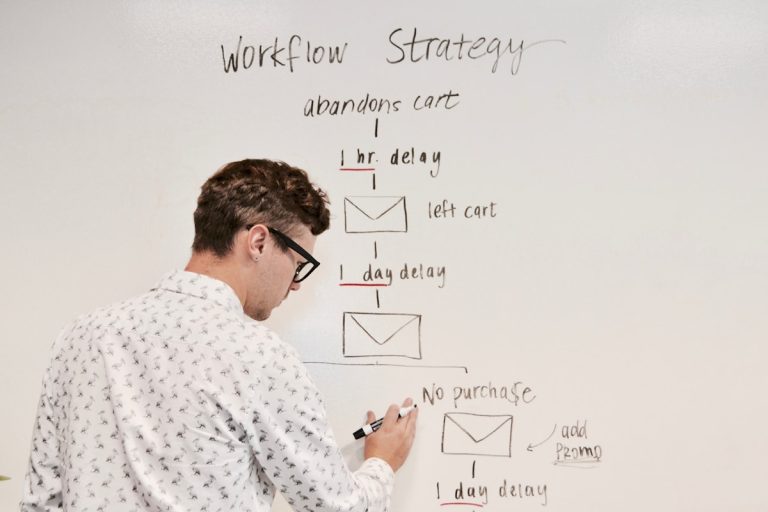
2. Configure Reminder Schedule
• First reminder: 3 days before due
• Second reminder: 1 day before due
• Final reminder: 2 days after overdue
Use drag-and-drop slots to add or remove steps. No code, no fuss.
3. Design Reminder Templates
• Personalise with customer name
• Include invoice details and links
• Add a polite nudge, e.g. “Friendly reminder”
You can preview and send a test email before going live. Templates can live in multiple languages too, ideal for Europe-wide operations.
Integrating Billing and SEO Workflows
It might seem odd to link invoicing with search-engine optimisation. In reality, they’re two sides of the same productivity coin. Your finance team gets a calm inbox; your marketing team watches rankings climb via 24/7 SEO automation. To align your cash flow and search visibility, you can Automate Your SEO with AI and schedule billing nudges side by side.
Imagine this: a new blog post goes live, the system kicks off link monitoring, SEO tweaks, geo-targeted updates—and at the same time, any related retainer invoices are queued for reminders. All of it on autopilot.
Monitoring and Fine-Tuning Your Reminders
Once live, you’ll want to keep an eye on open and click rates. AI CMO’s dashboard gives you:
- Real-time stats on email opens and link clicks
- A log of sent reminders and payment confirmations
- Alerts for stalled accounts needing manual review
This is also where you can tweak timings or adjust messaging. If your late-pay rate is creeping up, try swapping in a friendlier subject line or adding a quick-payment discount.
Mid-way through your optimisation journey, don’t forget to harness the power of your platform. Discover 24/7 SEO automation in AI CMO’s all-in-one platform to keep both marketing and billing in sync without extra complexity.
Best Practices for 24/7 SEO Automation and Billing Reminders
- Keep it human: Automated doesn’t mean robotic. Use friendly language.
- A/B test subject lines: A “Gentle reminder” might outperform “Invoice overdue”.
- Sync calendars: Ensure billing dates match your project milestones.
- Review monthly: Tweak schedules or thresholds based on performance.
- Leverage tags: Segment reminders by campaign types or geography.
These simple habits transform routine follow-ups into a seamless background process—just like your around-the-clock SEO.
Testimonials
“AI CMO’s billing reminder feature saved us hours each week. We rarely chase clients now, and the cash flow has never been steadier.”
— Emily R., Boutique Digital Agency
“Setting up reminders was a breeze. We were sceptical, but automation cut our overdue invoices by 50% in just two months.”
— Lucas H., E-commerce Retailer
“Beyond billing, the integration with SEO automation means we run fewer tools, get better insights, and actually enjoy our mornings again.”
— Fiona T., Marketing Manager
Conclusion
Automating billing reminders isn’t just about sending emails. It’s about creating a predictable, professional cash-flow engine that hums alongside your 24/7 SEO automation. No more manual checks, no more awkward follow-up calls. It’s all under one roof.
Ready to see how smoothly it all works? Get started with 24/7 SEO automation in AI CMO’s comprehensive AI Marketing Automation platform