Stop Staring at Dashboard Data and Start Maximising ROAS
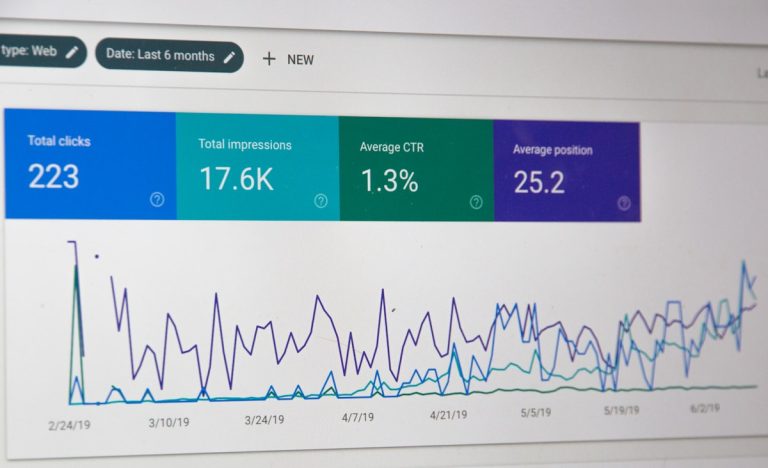
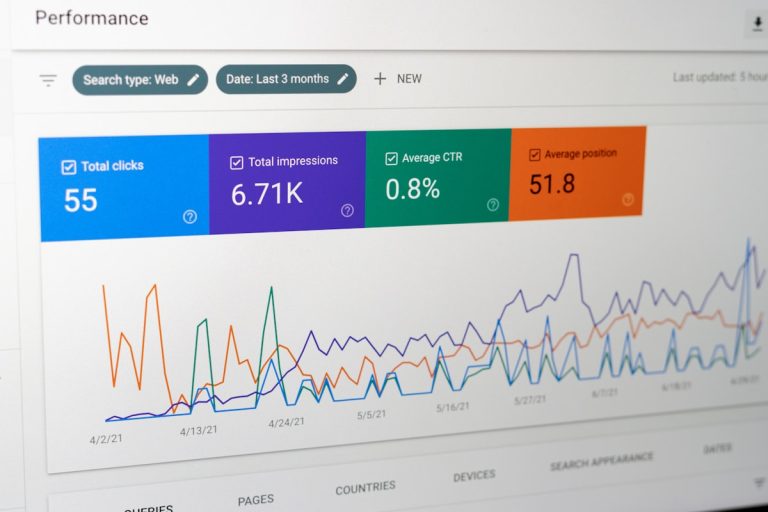
Managing pay-per-click (PPC) advertising across search platforms often feels like a full-time data administration job. Marketers and business owners routinely spend countless hours exporting CSV files, fixing broken data connectors, and building static charts inside reporting templates. While platforms like Google Looker Studio offer a clean way to display key performance indicators, they still require significant manual oversight to decipher what those numbers actually mean for your business. Transitioning to truly automated campaign reporting allows you to eliminate data dumps, track performance in real time, and gain instant clarity without wasting half your working week on manual spreadsheet maintenance.
Traditional reporting tools show you historical metrics, but they leave the analytical heavy lifting entirely on your shoulders. You still have to figure out why your cost per acquisition spiked or why a specific campaign stopped converting on mobile devices. AI CMO: Unified AI Marketing Automation for Digital Growth changes this equation completely by shifting your team from passive metric viewing to hands-on strategic execution. Rather than building static slide decks or wrestling with third-party Looker Studio templates, modern artificial intelligence actively analyses your data stream, pinpoints underlying trends, and executes corrective optimizations across your paid campaigns automatically.
The Fatal Flaws of Traditional Looker Studio Dashboards
Looker Studio (formerly Google Data Studio) has long been the default choice for digital agency reporting. It connects directly to Google Ads, displays neat graphs, and lets you email scheduled PDFs to clients or stakeholders.
On the surface, it seems like a solid solution. However, once you scale your advertising budget, the structural weaknesses of static reporting templates become painfully clear.
1. Visualization is Not Analysis
A graph showing a steep dip in click-through rate (CTR) is helpful, but it does not tell you why the dip happened. Did a competitor outbid you on top-performing keywords? Did your landing page experience downtime? Looker Studio simply plots the data points. You still have to spend hours digging into campaign settings, ad copy, and search terms to diagnose the root issue.
2. Broken Connectors and Data Latency
If you have ever used third-party data connectors to pull non-Google ad metrics into a single Looker Studio view, you know how fragile they can be. API updates frequently break custom schema mappings, leaving you with blank charts right before a crucial client meeting. Furthermore, standard dashboard updates often lag, giving you stale metrics rather than real-time insights.
3. Zero Proactive Execution
A static dashboard never takes action. If your daily budget is being burnt on irrelevant search queries at 2:00 AM, Looker Studio will happily record the financial loss in a colourful pie chart for you to discover two days later. It acts as an autopsy report rather than a live safeguard.
Looker Studio Templates vs AI CMO Automated Reporting
To understand how AI-driven platforms surpass standard reporting suites, let us compare how they handle day-to-day PPC operations:
| Capability | Looker Studio Dashboards | AI CMO Automated Reporting |
|---|---|---|
| Data Delivery | Visual graphs and charts | Actionable plain-English summaries & insights |
| Problem Diagnosis | Manual investigation required | Automatic identification of performance anomalies |
| Optimization | None (View-only) | Real-time automated adjustments & execution |
| Maintenance | Requires manual setup and API repairs | 24/7 fully managed AI operations |
| Multi-Channel Scope | Fragmented across separate tabs | Fully unified multi-channel intelligence |
The AI CMO Advantage: Turning Passive Metrics into Real-Time Execution
The fundamental problem with legacy marketing stacks is fragmentation. You use one tool to research keywords, another to monitor rank tracking, a third to write ad copy, and a fourth to build dashboards.
AI CMO consolidates this fragmented mess into a unified, intelligent platform that actively manages your digital visibility.

Continuous Performance Tracking Without the Overhead
Instead of logging into multiple analytics suites every morning, modern marketers rely on AI systems that evaluate campaigns around the clock. By constantly auditing impression share, keyword intent, and conversion rates, an automated engine detects declining campaigns instantly. You can easily automate campaign reporting with AI CMO to make sure budget allocations shift automatically toward high-margin terms before wasted ad spend accumulates.
Integrating Local and Search Visibility
PPC advertising does not exist in a vacuum. Your paid campaigns directly interact with your organic search engine optimization (SEO) and generative engine optimization (GEO) footprints. When users search for your services via modern AI-driven search engines or local search tools, your brand needs consistent presentation across all channels.
By combining organic data with paid search performance, AI CMO ensures your brand captures top-tier visibility everywhere your customers look. If your local search rankings drop in a key geographic area, the system can surface this trend instantly so you can step in with targeted local ad coverage. You can master GEO targeting with AI to protect local market share while keeping your overall customer acquisition costs low.
4 Steps to Upgrade Your Google Ads Reporting Workflow
Upgrading from basic Looker Studio templates to an automated, intelligent workspace is straightforward. Here is how modern marketing teams streamline their reporting process:
Step 1: Define Your True Performance Indicators
Move away from vanity metrics. While total impressions look impressive on a client slide deck, return on ad spend (ROAS), cost per acquisition (CPA), and net profit margin are the numbers that actually drive business sustainability. Configure your core tracking around revenue events rather than simple page views.
Step 2: Automate Cross-Channel Data Ingestion
Stop manually downloading CSV exports from individual ad platforms. Connect your paid search, paid social, and organic search accounts into a single, unified automation platform. This eliminates data silos and gives you a complete view of how different channels assist each other in driving conversions.
Step 3: Shift from Reactive Viewing to Automated Autopilots
Why spend hours manually adjusting keyword bids or writing weekly performance updates when machine learning can handle repetitive operational tasks? Incorporating intelligent content and optimization engines allows your team to maintain fresh messaging and optimal keyword target lists automatically. To save hours on organic content creation that complements your paid search, you can start your SEO autopilot to keep your search presence active without extra headcount.
Step 4: Focus Strategy on High-Level Growth
Once operational task management is automated, your marketing team can focus on big-picture positioning, campaign messaging, offering expansions, and customer retention strategies. Let the AI handle the complex operational intricacies while you concentrate on scaling the business.
What Should Your Campaign Reports Actually Include?
Whether you are reporting to internal executives or agency clients, a practical reporting system must deliver absolute clarity within seconds of opening the overview screen.
1. Executive Snapshot
Start with high-level summaries: total spend, revenue generated, total conversions, and overall ROAS. Executives do not need to see 500 individual search terms; they need to know if the ad budget is delivering a healthy profit.
2. Actionable Keyword and Audience Breakdown
Highlight top-performing target search terms alongside negative search query additions. Break down audience performance by age, gender, geographic region, and device type to pinpoint exactly where your spend is most cost-effective.
3. Automated Anomaly Explanations
Every report should explicitly answer why performance shifted week-over-week. If conversions dropped by 10%, the system should automatically highlight whether ad competition increased, search volume fell, or conversion rates dipped on specific landing pages.
The Future of Marketing Operations is Autonomous
Relying on static reporting templates is a habit left over from the last decade of digital marketing. While Looker Studio served its purpose as a free visualization tool, today’s fast-moving PPC landscape demands real-time intelligence and direct operational automation.
By replacing manual spreadsheets with an integrated AI solution, small businesses, startups, and modern marketing teams can eliminate expensive agency fees, cut down software bloat, and achieve sustainable growth.
Ready to transform your PPC tracking and unlock true operational efficiency? Learn how you can enhance your campaign performance with AI CMO today and take full control of your digital growth strategies.