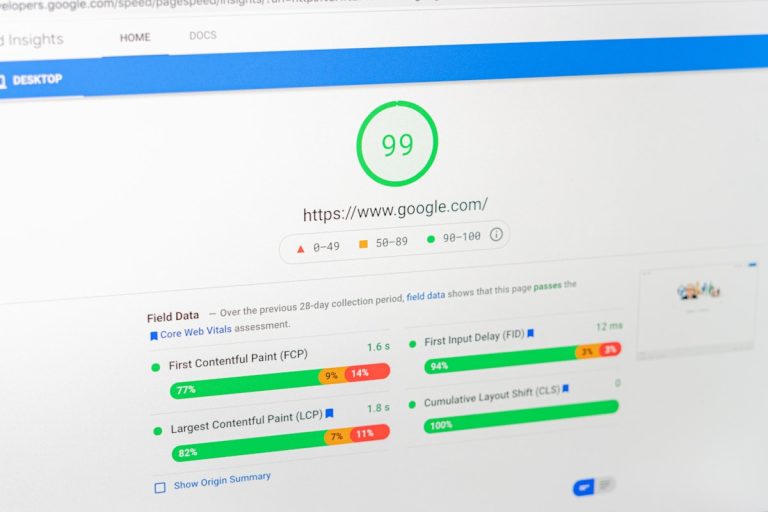
Traditional WordPress SEO plugins function as passive diagnostic checklists running directly on your web hosting server, flagging errors for manual resolution. In contrast, cloud-based autonomous AI platforms connect through secure APIs to independently repair canonical tags, deploy structured JSON-LD schema, format text for generative citations, and resolve technical issues without human effort. Adopting true SEO automation eliminates tedious administrative busywork while expanding your visibility across both traditional search engines and generative models like ChatGPT, Claude, and Perplexity.
For years, website owners have relied on colour-coded scoring boxes inside their content management systems. But as search behaviour pivots toward semantic answers and conversational queries, these manual checks simply consume valuable hours without fixing fundamental code issues. Replacing local plugins with autonomous execution engines ensures that your digital presence stays fast, compliant, and visible around the clock.
The Green Checklist Illusion: Why Traditional WordPress Plugins Fall Short
If you have ever drafted an article inside WordPress, you know the dance. You finish writing, tweak the title, stuff your target keyword into three arbitrary subheadings, and fiddle with settings until a circular traffic light turns bright green. It feels satisfying. It tricks your brain into thinking you have accomplished real search marketing. In reality, modern search crawlers do not care whether a local PHP script showed a green light. Standard plugins are merely diagnostic forms: they do not fix your underlying code, they just pile extra admin tasks onto your daily plate. Forward-thinking marketing teams prefer to Automate Your SEO with AI to scrap this manual labour and build scalable organic momentum.
Modern search engines evaluate pages using entity graphs, Core Web Vitals, user context, and semantic topic clusters. A plugin sitting in your admin dashboard cannot dynamically fix broken canonical links across hundreds of articles, resolve intricate redirect loops, or track whether an AI assistant mentions your brand. Real SEO Automation changes the dynamic completely. It swaps passive alert messages for continuous cloud operations running 24 hours a day, keeping your technical foundation solid while you focus on business strategy.
The Problem with Arbitrary Keyword Counting
Legacy WordPress tools were built around rules from over a decade ago. Back then, ranking often came down to keyword frequency. If your exact phrase appeared in the first paragraph, the meta description, and four subheadings, you ranked well. Today, forced keyword counts create rigid, unnatural prose. Search crawlers now penalise clunky keyword stuffing, prioritising helpful, natural explanations instead. Chasing a green score often ruins your writing quality and drives prospective customers away.
The Endless Manual Maintenance Queue
Run an audit with any conventional plugin and you will see the same result: a massive list of errors. Missing meta descriptions, duplicate canonical tags, broken links, and missing alt text. The plugin displays the problems, but you or your team must open each page individually, draft new copy, adjust settings, and click update. This manual workflow creates a serious operational bottleneck, burning skilled hours on data entry instead of revenue-generating work.
Total Invisibility in Generative AI Search
When a prospect asks ChatGPT, Perplexity, or Google AI Overviews for a vendor recommendation, standard plugins offer zero assistance. They cannot verify whether your brand appears in LLM responses, cannot fix incorrect company details circulating across language models, and cannot structure content specifically for AI scrapers. Relying entirely on old-school plugins leaves your brand invisible to buyers using conversational platforms.
How Do Traditional Plugins Differ from Autonomous AI Engines?
To understand why website maintenance drains so many hours every month, we need to inspect the underlying software architecture. The primary differences lie in hosting location, server performance impact, and whether the system can take direct action without a human sitting at a screen.
Traditional WordPress plugins run directly on your web host as PHP scripts. They activate only when a visitor opens a page or an editor updates an article. Every extra plugin adds bloat, increasing database queries and slowing down response times. When an issue occurs, the plugin simply leaves a red warning in your dashboard. You remain the technician who must diagnose the problem and type in the fix.
Cloud AI platforms operate on a completely separate model. Hosted on external infrastructure, they connect to your WordPress site through lightweight, secure API endpoints. They work continuously in the background, scanning architecture, writing nested schema, and resolving errors without waiting for manual intervention.
Here is how the two approaches compare across core operational areas:
- Server Performance: Standard plugins run heavy PHP scripts on your host, straining your server and damaging Core Web Vitals. Cloud engines run complex computations off-site, communicating through lightweight API calls to preserve fast page speeds.
- Execution vs Diagnostics: A plugin finds a flaw and adds it to your to-do list. An autonomous engine spots the problem, selects the correct technical fix, and applies it immediately.
- Modern Search Coverage: Traditional plugins only optimise meta tags for standard web crawlers. Cloud AI engines combine regular search signals with Generative Engine Optimisation (GEO) to win citations across Perplexity, Claude, and Google AI Overviews.
- Resource Demands: Standard plugins require dedicated staff hours or pricey agency retainers to execute updates. Autonomous cloud engines handle technical tasks independently.
- Real-Time Agility: A plugin only runs checks when someone manually edits a post. Cloud engines monitor algorithm updates and search patterns continuously.
How the SEO & GEO Autopilot Delivers Continuous Optimisation
Building sustainable search authority requires technology that executes solutions rather than printing endless audit reports. The SEO & GEO Autopilot solves this challenge by operating as a 24/7 cloud engine that handles technical maintenance, keyword optimisation, and Generative Engine Optimisation without manual input.
Instead of waiting for an editor to log into WordPress, the platform works autonomously. It inspects site architecture, adjusts canonical links, and publishes verified schema markup so both web crawlers and language models understand your company. By replacing the need for an expensive, manual SEO department, it lets you maintain enterprise-level technical hygiene effortlessly.
Core operational capabilities include:
- Dynamic Schema Generation: Automatically writes and injects valid JSON-LD structured data for organisations, articles, and product pages, helping search bots and AI agents read your entity profile instantly.
- Generative Answer Formatting: Structures clear summary answers, bullet points, and headings so conversational search engines can parse and quote your resources directly in their answers.
- Continuous Technical Hygiene: Resolves internal link gaps, repairs missing metadata, and patches crawl errors in real time without human intervention.
- Built-in Safety Protocols: Runs every technical update through rigorous verification checks, rolling back modifications instantly if an anomaly occurs to protect site stability.
Offloading repetitive technical chores to an autonomous system lets your internal team concentrate on commercial initiatives. You can Boost Your Search Rankings Now and replace manual admin work with reliable, automated execution.
How Do You Track Brand Citations Across Generative AI Engines?
Standard analytics packages measure page views, bounce rates, and referring websites. But when a decision-maker asks a large language model for a software recommendation, the answer appears directly inside the chat interface. The prospect receives their recommendation without ever visiting your website, leaving traditional analytics tools blind to the interaction.
This tracking blind spot makes modern performance measurement difficult. The AI Visibility Tracker addresses this challenge by providing an analytics dashboard designed specifically for the generative search era. It tracks your brand presence across ChatGPT, Claude, Perplexity, and Google AI Overviews in real time.
Key tracking capabilities include:
- Citation Frequency: Tracks how often generative engines mention your company when answering industry questions.
- Sentiment and Positioning: Evaluates how AI models describe your products compared to alternative vendors.
- Competitor Benchmarking: Flags queries where your competitors are recommended instead of your brand, highlighting content gaps in your digital presence.
- Information Accuracy Alerts: Detects when an AI model shares outdated pricing, inaccurate features, or obsolete addresses, giving you the insight needed to correct your public entity profile.
To ensure your business remains visible across conversational platforms, you can Master GEO Targeting with AI and build a consistent footprint across generative answer engines.
How Does the AI Content Strategist & Generator Accelerate Production?
Publishing high-quality content regularly is essential for growing topical authority. Yet researching keywords, drafting outlines, writing long-form guides, and linking internal pages takes substantial time. As a result, many small teams and growing businesses struggle to publish more than a single post each month.
The AI Content Strategist & Generator removes this production bottleneck by automating the workflow from topic ideation to polished draft. It analyses search trends, spots content gaps across your market, and generates comprehensive articles structured for both human readers and search bots.
Every piece built by the platform includes:
- Natural Keyword Integration: Incorporates primary and secondary search phrases smoothly into the text without forced repetition or awkward phrasing.
- Direct Answer Blocks: Builds clear summary answers tailored specifically for extraction by AI answer engines.
- Logical Heading Hierarchies: Employs intuitive heading structures that help readers and search crawlers navigate complex material quickly.
- Consistent Brand Tone: Preserves your established tone of voice and technical terminology across guides, landing pages, and commercial articles.
Rather than paying expensive monthly retainers to external agencies, your marketing team can publish consistent, expert-level content while retaining full creative control.
Why Outbound Outreach Amplifies Inbound Organic Authority
Organic search attracts inbound interest over time, but combining organic visibility with direct prospecting creates a far more resilient acquisition engine. Connecting directly with target decision-makers helps establish credibility before they even begin searching for solutions.
The LinkedIn Chrome Plugin links your organic presence with outbound sales. Built for founders, growth leads, and marketing professionals, this browser extension integrates prospecting directly into your everyday social workflow.
Core capabilities include:
- Personalised Messaging Sequences: Generates tailored introductory messages for commercial contacts on LinkedIn, avoiding generic copy-paste templates.
- Engagement Tracking: Monitors conversation stages, replies, and follow-up tasks straight from the LinkedIn interface.
- CRM Integration: Syncs prospect details and conversation records directly to your database to keep your sales pipeline organised.
- Content Distribution: Allows you to share relevant blog guides and case studies directly with active prospects, demonstrating authority during sales conversations.
Connecting automated search operations with personal social outreach gives your team a reliable growth mechanism that drives sales from both inbound and outbound channels.
What Is the Real Financial Cost: Cheap Plugins vs Autonomous Automation?
When evaluating marketing software, looking past the upfront licence fee is critical. A standard WordPress plugin might look inexpensive at £50 to £100 per year, but that entry price ignores the substantial labour costs required to operate it.
Consider the hidden costs of manual tools:
- External Agency Retainers: Many organisations spend £2,000 to £5,000 every month paying external agencies simply to execute tasks flagged by diagnostic plugins.
- Software Bloat: Marketing teams often juggle multiple subscriptions for rank tracking, site auditing, schema generation, and keyword analysis, creating software fatigue.
- Wasted Staff Hours: Experienced marketers spend hours manually writing meta descriptions, checking redirect codes, and updating internal links instead of focusing on commercial strategy.
- Missed AI Traffic: Because legacy plugins lack Generative Engine Optimisation capabilities, prospective clients asking AI models for solutions get sent directly to competitors.
Adopting true SEO Automation eliminates these hidden expenses. By automating site health, structured schema, and content workflows, you eliminate redundant tools, cut external agency costs, and empower your team to focus on strategic execution. You can Start Your SEO Autopilot today to simplify your marketing stack and secure reliable organic results.
How Do You Migrate from Manual Plugins to Autonomous Automation?
Switching from manual dashboard plugins to an autonomous cloud platform is straightforward and protects your current search rankings. Modern marketing teams follow a clear sequence to make the transition smooth and risk-free.
Step 1: Establish Your Baseline Metrics
Before modifying your tech stack, document your current organic footprint. Note your primary keyword positions, monthly clicks, and impression counts in Google Search Console. Run test queries in ChatGPT, Perplexity, and Claude to see how generative models describe your business. This creates a reliable benchmark and highlights immediate opportunities for improvement.
Step 2: Connect Your Site via Secure API
Instead of bogging down your WordPress database with heavy local scripts, connect your domain to the cloud platform using secure API credentials. Grant the platform access to review site structure, monitor technical configurations, and deploy structured schema. Ensure the platform includes automated rollback safeguards so your site remains completely secure.
Step 3: Activate Continuous Maintenance Cycles
Turn on autonomous operations. Let the cloud engine audit site architecture, eliminate broken redirect chains, and insert valid JSON-LD structured schema across your key pages. Turn on citation tracking to monitor conversational engines for brand mentions and alternative suggestions.
Step 4: Publish Intent-Focused Content and Track Results
Use the automated engine to spot underserved buyer questions and publish comprehensive, well-structured resources that resolve search intent. Track your progress across both traditional search indices and conversational citations to measure your expanding digital footprint.
Side-by-Side Comparison: How Everyday SEO Tasks Are Handled
To see how your daily workflow changes with autonomous execution, consider how both tools handle routine technical tasks:
- Fixing Broken Canonical Tags: A standard plugin displays an error notice in an audit table. You must locate the page, open the post editor, determine the correct URL, and hit update. With an automated platform, the system flags the error, matches the proper canonical URL via API, and applies the fix automatically.
- Deploying Structured Schema: With a legacy plugin, you must manually paste questions, answers, and organisation details into separate fields across every page. With an automated system, the engine reviews the content, writes valid JSON-LD schema, and injects it into the page code automatically.
- Adapting to Shifting Search Trends: A legacy plugin sits idle until an editor manually inputs a new target term. An autonomous platform monitors search shifts, highlights emerging queries, and produces optimised content to capture new traffic.
- Tracking Brand Citations: A plugin cannot see beyond your WordPress installation. An autonomous engine tracks how large language models cite your brand, monitoring authority and sentiment across modern AI tools.
Frequently Asked Questions About SEO Automation
Will an AI automation platform slow down my WordPress website?
No, it usually makes your site faster. Traditional plugins execute PHP code on your local web host whenever an editor updates a post or a visitor browses a page, consuming server resources and slowing down response times. Autonomous platforms run heavy computations on external cloud infrastructure, communicating with WordPress through lightweight API requests. This keeps your local database clean and helps maintain strong Core Web Vitals.
Can traditional WordPress plugins optimise for ChatGPT and Perplexity?
Traditional plugins are not designed for generative answer engines. They were built to check keyword repetition for traditional crawlers. Generative Engine Optimisation requires semantic entity mapping, structured direct-answer blocks, and real-time citation tracking, capabilities found only in modern AI platforms.
Do I need technical web development experience to manage SEO automation?
Not at all. Connecting an autonomous platform to WordPress takes only a few minutes using standard API credentials or a lightweight connector. Once connected, the engine handles technical maintenance, including structured schema deployment and canonical tag fixes, without requiring custom code.
Does SEO automation replace our internal marketing staff?
Automation does not replace your team’s strategic direction; it removes repetitive administrative chores. By managing routine audits, schema generation, and initial content research, the platform frees your marketers to focus on customer engagement, brand positioning, and commercial partnerships instead of editing tags and filling in plugin boxes.
Modernise Your Search Marketing Operations
Search engines reward websites that provide rapid load speeds, clean technical foundations, and precise, authoritative answers. Relying solely on outdated WordPress plugins leaves your marketing team stuck with manual checklists and administrative friction.
Embracing modern SEO Automation eliminates the manual bottlenecks holding your website back. By replacing passive warnings with round-the-clock technical fixes, automated structured schema deployment, and generative citation tracking, you secure your search visibility across every platform modern buyers use. Take control of your organic strategy today with AI CMO: Unified AI Marketing Automation for Digital Growth and let autonomous technology scale your organic performance.