Supercharge Your SEO with structured data AI
Ever wondered how some sites pop up in Google’s AI Overviews and AI Mode while yours stays buried? The secret isn’t a magic trick, it’s structured data AI. By feeding Google the right signals, you help its bots understand your content better. That means richer snippets, overview panels and more clicks. In this guide, we’ll show you how AI CMO automates your schema markup and content setup so you can get listed in those premium AI Search features without breaking a sweat.
Ready to see how structured data AI can transform your visibility? We’ll dive into the nuts and bolts of Google’s new AI features, explain why they matter, and walk you through a hands-on integration with AI CMO. Buckle up for better search performance and less manual work, all on autopilot with Structured Data AI with AI CMO: Revolutionizing Digital Marketing Automation.
Understanding Google’s AI Search Features
Google has rolled out two headline-grabbing innovations in Search: AI Overviews and AI Mode. Both tap into advanced models to surface information in smarter ways. But they work differently and give your site unique chances to shine.
AI Overviews – Quick Gist, Big Impact
AI Overviews appear when a query needs a clear summary. Instead of a list of ten links, you get a concise breakdown, followed by “jump off” links. It’s perfect for complex topics or when a user needs a fast answer.
Here’s why it’s a game-changer:
- It covers multiple facets of a topic in one spot
- It drives clicks to diverse sites, not just the top few results
- It rewards pages that are clear, well-structured, and reliable
To rank here, you still follow standard SEO best practices, but structured data AI can give you the edge by ensuring Google sees your content in a tidy, machine-readable format.
AI Mode – Deep Dive Meets Discovery
When a query demands exploration or comparisons, AI Mode steps in. Users can ask follow-ups, drill into side-topics, even request pros and cons—and get a threaded, AI-powered answer. Under the hood, Google issues multiple sub-queries and pulls in varied data sources.
Your content becomes supporting context. Visitors can click through those links mid-conversation. That’s why your site needs:
- Comprehensive, well-labelled sections
- Up-to-date structured data AI markup (FAQ schema, HowTo schema)
- Helpful visuals and tables that Google’s model can reference
With AI CMO handling your schema automation, you’ll tick all those boxes without manual tagging.
Why Automate structured data AI with AI CMO
Adding JSON-LD or Microdata manually is tedious and error-prone. One typo, one missing field, and Google won’t trust your markup. AI CMO solves that by:
- Scanning your pages 24/7 for new content
- Generating accurate, compliant JSON-LD automatically
- Matching schema entries to visible page text
- Updating changes on the fly so your structured data AI is always fresh
That means no more copy-and-paste schema snippets in code editors. And when Googlebot crawls your site, the structured data is ready to fuel AI Overviews and AI Mode.
Explore AI CMO’s structured data AI automation for AI Overviews
Step-by-Step Guide to Integrating AI CMO with Google AI Features
-
Audit Your Site
– Check robots.txt to ensure Googlebot has full access
– Verify critical pages in Search Console
– Ensure your internal links point Google to your highest-value content -
Enable Structured Data AI in AI CMO
– Log into the AI CMO platform
– Select the “Schema Automation” module
– Choose which schema types you need (FAQ, HowTo, Product, LocalBusiness)
– Set frequency for scans (daily is a good start) -
Align Content with Google’s Best Practices
– Keep text concise and people-first
– Support paragraphs with high-quality images and captions
– In AI CMO, preview how your schema will look in Search -
Monitor Performance
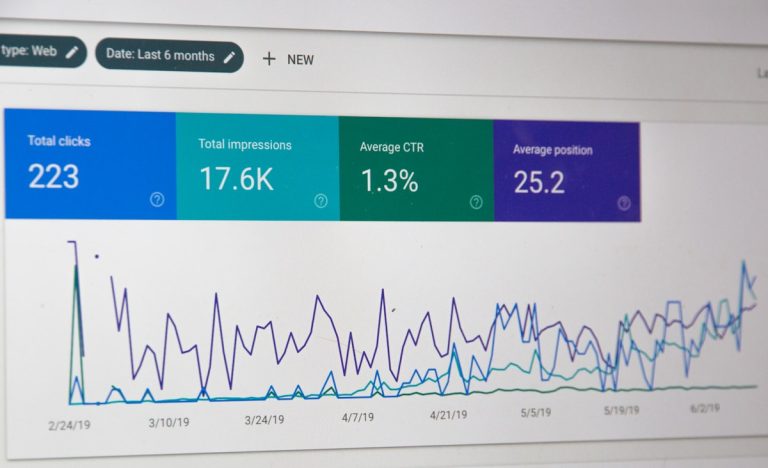
– Watch your “Web” search type in Search Console’s Performance report
– Compare click-through rates before and after integration
– Use Google Analytics to track time on page and conversions
Within a few weeks, you’ll see more supporting links in AI Overviews and deeper engagement in AI Mode responses. That’s structured data AI at work—fully automated.
Real-World Example: Local Retailer Sees Big Gains
Imagine a small craft bakery in Bristol. They post weekly recipes and local event pages. Before AI CMO, adding FAQ or HowTo schema meant pulling a developer off other tasks. Results were mixed.
After switching on structured data AI in AI CMO:
- Their recipe posts started showing in AI Overviews for queries like “how to make sourdough starter”
- Local event pages appeared as supporting links in AI Mode when people asked “where to find artisan bread in Bristol”
- Clicks jumped by 28% and average session duration rose by 35%
No agency needed. Just smart automation, clear content, and Google’s AI features working together.
How AI CMO Beats Traditional SEO Tools
You’ve probably tried SEMrush for keyword research, Moz for on-page audits, or Ahrefs for backlink analysis. Great platforms, but they stop short of live AI integration and task automation.
- SEMrush offers insights but you still upload schema manually
- Moz checks your site health, but no AI-powered schema generation
- Ahrefs focuses on analytics rather than hands-on execution
- HubSpot has inbound marketing tools but no dedicated structured data AI module
AI CMO combines real-time tracking, geo-targeting, and automatic schema deployment in one interface. You get in-platform control and a true end-to-end workflow—no juggling five separate tools.
What Users Are Saying
“AI CMO’s structured data AI saved us hours each week. We saw a 30% boost in clicks from Search Console’s Web Performance report.” – Jane Doe, Marketing Manager
“AI CMO’s hands-on interface is so intuitive. Integrating with Google AI Mode made our FAQs show up right in AI Overviews.” – Liam Smith, SEO Specialist
“Real-time tracking gave us the data to pivot our SEO strategy on the fly. No more manual spreadsheets.” – Emily Clarke, E-commerce Director
Get Started with AI CMO Today
If you want to stop wrestling with schema markup and start tapping into Google’s AI Overviews and AI Mode, AI CMO is your ally. Automate your structured data AI, monitor real-time performance, and free up your team to create awesome content.
Start automating your structured data AI and content with AI CMO